
Best CRM Software for Small Business
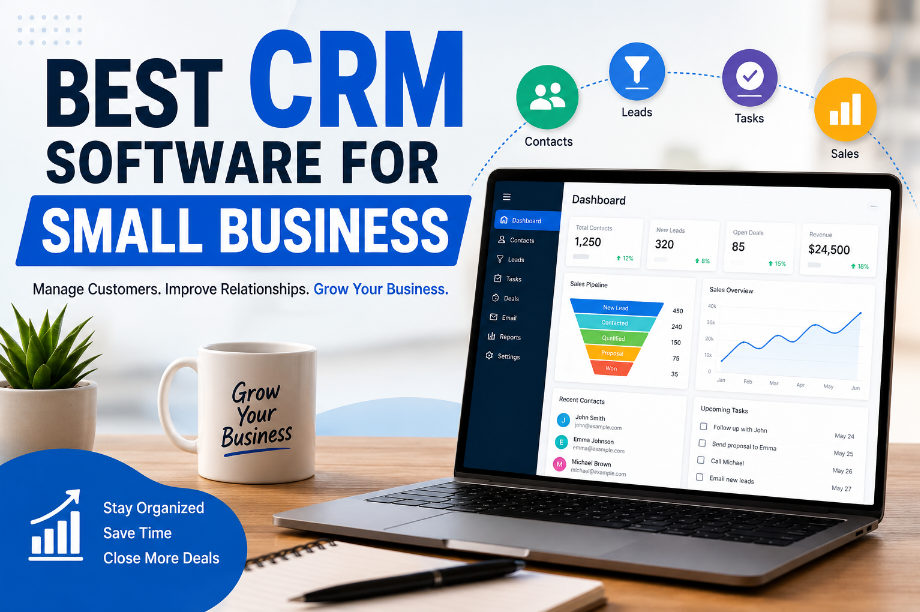
Best CRM Software for Small Business
Why Small Businesses Need a CRM in 2026
A few years ago, Sarah started a small gift shop online. At first, she kept customer details in a simple spreadsheet. It worked fine for a while.
But as more people started buying from her store, things got messy.
She forgot to reply to some customers. She missed important follow-ups. Sometimes she couldn’t find customer details when she needed them.
If you’ve ever felt this way, you’re not alone.
Many small business owners start with spreadsheets, notebooks, or even sticky notes. This may work in the beginning, but it gets harder as the business grows.
That’s where CRM software can help.
A CRM is a tool that keeps your customer information in one place. It helps you save names, emails, messages, sales details, and follow-up tasks.
Instead of searching through emails or notes, you can find everything quickly.
Many CRM tools can also send reminders, track sales, and help you stay organized.
In 2026, CRM software isn’t just for big companies anymore. Small businesses use it every day to save time, stay organized, and build better relationships with customers.
Common Customer Management Challenges
Running a small business is not easy.
On most days, you’re doing many jobs at once. You’re answering messages, helping customers, posting on social media, and trying to make sales.
Because of this, it’s easy for things to slip through the cracks.
Some common problems include:
- Forgetting to follow up with customers
- Losing customer information
- Missing important messages
- Keeping notes in too many places
- Spending too much time on simple tasks
- Not knowing which leads are ready to buy
For example, imagine someone asks for a price quote.
You plan to message them next week.
Then life gets busy.
A few days later, that person buys from another business.
Sadly, this happens more often than people think.
The good news is that a CRM can help solve these problems.
It keeps customer information in one place, reminds you about follow-ups, and helps you stay on top of your work.
Even if you have a very small business, a CRM can help you save time, make more sales, and give customers a better experience.
What Is CRM Software?
A few months after starting her business, Sarah noticed a problem.
Customer messages were coming from everywhere.
Some people emailed her.
Some sent Facebook messages.
Others filled out a form on her website.
At first, she thought she could remember everything.
But she couldn’t.
One day, a customer asked about a custom order.
“I’ll get back to you tomorrow,” she said.
She never did.
A week later, that customer had already bought from someone else.
That’s when Sarah realized she needed a better way to keep track of customers.
This is where CRM software comes in.
CRM stands for Customer Relationship Management.
Don’t let the name scare you.
A CRM is simply a tool that helps you keep customer information in one place. It stores names, emails, phone numbers, notes, and follow-up tasks so you don’t have to remember everything yourself. CRM platforms are designed to help businesses organize customer interactions and sales activities.
Think of it like a digital assistant for your business.
Instead of searching through emails, notebooks, and spreadsheets, you can find everything in one dashboard.
This helps you stay organized, save time, and give customers a better experience.
How a CRM Helps Small Business Owners
Running a small business can feel overwhelming.
There are customers to help, orders to manage, and new sales to make.
It’s easy to forget important details.
A CRM makes things much easier.
For example, if someone asks about your service today, you can save their information and set a reminder to follow up next week.
No more sticky notes.
No more forgotten messages.
No more guessing who to contact next.
Many small business owners use CRM software to keep track of leads, manage customer conversations, and stay organized as their business grows.
Key Features to Look For
Not every CRM is the same.
Some have lots of extra features that beginners may never use.
For most small businesses, these are the features that matter most:
- Contact management
- Lead tracking
- Follow-up reminders
- Email connections
- Task management
- Sales tracking
- Mobile access
- Simple reports
The best CRM software for small business should make your work easier, not harder.
If a tool feels confusing from day one, it’s probably not the right fit.
Choose a CRM that is simple, easy to learn, and can grow with your business.
Benefits of Using CRM Software for Small Business
When Sarah first started using a CRM, she thought it would simply help her keep customer information organized.
She was wrong.
Within a few weeks, she noticed something surprising.
Customers were getting faster replies.
She was following up more often.
And most importantly, she was closing more sales.
That’s because a good CRM does much more than store customer information.
It helps small businesses save time, stay organized, and build stronger relationships with customers.
Let’s look at some of the biggest benefits.
Better Customer Relationships
People like to feel remembered.
Imagine contacting a business and having to explain your problem every single time.
It’s frustrating.
A CRM helps you keep notes about every customer. You can see past conversations, purchases, and follow-up tasks in one place.
For example, if a customer asked about a product last month, you can quickly see that information before replying.
This makes customers feel valued and understood.
And when customers have a great experience, they’re more likely to come back.
Improved Sales Tracking
Have you ever forgotten to follow up with a potential customer?
Most small business owners have.
The problem is that missed follow-ups often mean missed sales.
A CRM helps you keep track of every lead from the first message to the final sale.
You can see who is interested, who needs a follow-up, and who is ready to buy.
Instead of guessing what to do next, you’ll always know where each customer stands.
This helps you stay organized and close more sales.
Time-Saving Automation
Running a small business means doing a lot of repetitive work.
Sending follow-up emails.
Setting reminders.
Updating customer records.
Doing these tasks manually can take hours every week.
Many CRM tools can handle these tasks automatically.
For example, a CRM can remind you when it’s time to contact a lead or send a follow-up message.
This means less time spent on routine tasks and more time focused on growing your business.
Stronger Team Collaboration
As your business grows, more people may start helping with sales and customer support.
Without a system, important information can get lost.
One team member may not know what another team member already discussed with a customer.
A CRM keeps everyone on the same page.
Customer notes, messages, and updates are stored in one place.
This helps your team work together more smoothly and provide better customer service.
Better Business Decisions
Making good decisions becomes easier when you have the right information.
Without a CRM, many business owners rely on guesswork.
They don’t know which leads are converting into customers or where most sales are coming from.
A CRM gives you a clearer picture of your business.
You can see what’s working and what needs improvement.
For example, you may discover that most of your sales come from email marketing instead of social media.
With that information, you can focus your time and money on what brings the best results.
In short, a CRM helps you work smarter, not harder.
For many small businesses, it’s one of the simplest ways to save time, improve customer service, and grow sales without feeling overwhelmed.
How to Choose the Best CRM Software for Small Business
Choosing a CRM can feel a little overwhelming at first.
When Lisa started looking for a CRM, she found dozens of options online.
Some promised advanced features.
Others promised better sales results.
A few even claimed they could do everything.
She spent hours comparing tools and reading reviews.
In the end, she learned something important.
The best CRM isn’t the one with the most features.
It’s the one that solves your biggest problems and makes your daily work easier.
Before you choose a CRM, here are a few things you should look for.
Ease of Use
Imagine buying a tool that’s so confusing you never use it.
That happens more often than you think.
A CRM should be simple and easy to learn.
You should be able to add customers, track leads, and manage tasks without feeling frustrated.
If a tool feels complicated during the free trial, it probably won’t get easier later.
Look for a CRM that feels natural from the very beginning.
Pricing and Value
Every small business wants to save money.
But choosing the cheapest CRM isn’t always the best decision.
Instead, focus on value.
Ask yourself:
- Does it save me time?
- Does it help me stay organized?
- Can it help me close more sales?
A good CRM should give you more value than what you pay for it.
Sometimes spending a little more can save you hours of work every week.
Automation Features
Running a business comes with many repeat tasks.
You follow up with leads.
You send emails.
You create reminders.
Doing these tasks by hand can take a lot of time.
That’s why automation is so helpful.
A CRM with automation can handle many routine tasks for you.
For example, it can remind you when it’s time to contact a lead or send a follow-up email.
This helps you spend less time on busy work and more time growing your business.
Integrations With Other Tools
Most businesses use more than one tool.
You may use email marketing software, accounting tools, social media apps, or an online store.
Your CRM should work well with the tools you already use.
When your tools connect together, information flows smoothly from one place to another.
This saves time and reduces mistakes.
The easier your tools work together, the easier your business becomes to manage.
Customer Support
Even easy software can cause questions from time to time.
That’s why good customer support matters.
Imagine getting stuck while setting up your CRM.
Would you rather wait days for help or get answers right away?
Good support can make a huge difference.
Before choosing a CRM, check if the company offers live chat, email support, phone support, or a helpful knowledge base.
When help is easy to find, problems get solved much faster.
Scalability for Future Growth
Your business may be small today.
But what about next year?
What happens when you have more customers, more sales, or a larger team?
The CRM you choose should be able to grow with your business.
You don’t want to switch systems every time your business expands.
A scalable CRM gives you room to grow without creating extra headaches later.
Choosing the right CRM isn’t about finding the most popular tool.
It’s about finding a tool that is easy to use, fits your budget, saves time, and can support your business as it grows. That’s what makes a CRM a smart long-term investment for any small business owner.
Best CRM Software for Small Business
Choosing a CRM can feel a lot like buying your first car.
Everyone says their option is the best.
One tool promises more features.
Another promises more sales.
A third promises to save you hours every week.
That can make the decision feel confusing.
The good news?
You don’t need the most expensive CRM.
You just need one that fits your business.
Let’s look at some of the best CRM software options for small businesses in 2026. These platforms are widely recommended because they are easy to use, offer strong customer management tools, and can grow with your business. (TechRadar)
HubSpot CRM
When Emma started her online business, she didn’t want to spend money on expensive software.
She wanted something simple.
That’s why she chose HubSpot CRM.
HubSpot is one of the most popular choices for beginners because it offers a powerful free plan and an easy-to-use dashboard. (TechRadar)
Best For: Beginners and growing businesses
Why You’ll Like It
- Free plan available
- Easy to learn
- Clean dashboard
- Helpful marketing tools
- Great for first-time CRM users
Before You Choose
- Advanced features require paid plans
- Costs can grow as your business grows
Zoho CRM
Some business owners need more features without spending a lot of money.
That’s where Zoho CRM shines.
It offers automation, reporting, and many useful integrations while still being budget-friendly. Zoho is often praised for delivering excellent value for small businesses. (Forbes)
Best For: Small businesses on a budget
Why You’ll Like It
- Affordable pricing
- Strong automation tools
- Many integrations
- Good value for money
Before You Choose
- Takes time to learn
- Setup can feel overwhelming at first
Salesforce Starter Suite
Many people think Salesforce is only for large companies.
That’s not true anymore.
Salesforce Starter Suite was created to help small businesses get powerful CRM features while still leaving room for future growth. (Salesforce)
Best For: Businesses planning to grow fast
Why You’ll Like It
- Powerful features
- Detailed reporting
- Scales as your business grows
- Trusted by companies worldwide
Before You Choose
- Learning curve for beginners
- Higher cost than some alternatives
Pipedrive
Imagine seeing your entire sales process in one simple view.
That’s exactly what Pipedrive does.
Its visual sales pipeline makes it easy to track deals and know what action to take next. Many small sales teams love it because of its simplicity. (Pipedrive)
Best For: Sales-focused businesses
Why You’ll Like It
- Easy to use
- Visual sales pipeline
- Great deal tracking
- Quick setup
Before You Choose
- Fewer marketing tools
- Not ideal for businesses needing an all-in-one system
Freshsales
If you want a balance between price and features, Freshsales is worth considering.
It offers sales tracking, automation, and customer management tools in one simple platform. Many experts consider it one of the best value CRM options for small businesses. (TechRadar)
Best For: Small teams looking for value
Why You’ll Like It
- Affordable plans
- Easy setup
- Helpful automation tools
- User-friendly design
Before You Choose
- Fewer advanced customizations
- Some features require paid upgrades
Monday CRM
Not every business owner loves spreadsheets and complicated software.
Monday CRM focuses on visual organization and easy team management.
It’s a great option for businesses that want CRM and task management in one place. (monday.com)
Best For: Teams that like visual workflows
Why You’ll Like It
- Modern design
- Easy collaboration
- Visual dashboards
- Simple project tracking
Before You Choose
- Costs can increase with larger teams
- Some advanced features require higher plans
Bigin by Zoho
Sometimes less is more.
Bigin was built specifically for very small businesses that need a simple CRM without extra complexity. It focuses on the basics while keeping costs low. (Leader)
Best For: Startups and very small businesses
Why You’ll Like It
- Budget-friendly
- Simple to use
- Fast setup
- Easy learning curve
Before You Choose
- Limited advanced features
- May not fit larger teams later
Apptivo CRM
Apptivo doesn’t always get as much attention as other CRM tools.
But many small businesses love it because it combines CRM, invoicing, project management, and other business tools in one platform. (TechRadar)
Best For: Businesses wanting an all-in-one solution
Why You’ll Like It
- Affordable pricing
- Highly flexible
- Includes many business tools
- Strong customer support
Before You Choose
- Interface feels less modern
- Setup takes a little time
The best CRM software for small business depends on your needs.
If you’re just getting started, HubSpot CRM is often the easiest choice.
If budget is your top concern, Zoho CRM or Bigin are excellent options.
If your main goal is tracking sales, Pipedrive is hard to beat.
And if you’re planning for long-term growth, Salesforce Starter Suite is worth considering. (Routine Automation)
CRM Software Comparison Table
After reading about several CRM tools, you might be wondering:
“Which one is right for me?”
The answer depends on your budget, business size, and goals.
Let’s compare the most popular CRM options side by side to make your decision easier.
Pricing Comparison
CRM Software
Starting Price
Free Plan Available?
Best For
HubSpot CRM
Free
Yes
Beginners
Zoho CRM
Low Cost
Yes
Budget-Friendly Businesses
Salesforce Starter Suite
Paid
No
Growing Businesses
Pipedrive
Paid
No
Sales Teams
Freshsales
Free & Paid Plans
Yes
Small Teams
Monday CRM
Paid
No
Team Collaboration
Bigin by Zoho
Low Cost
No
Very Small Businesses
Apptivo CRM
Affordable Paid Plans
No
All-in-One Business Management
Features Comparison
Not every CRM offers the same experience.
Some focus on sales.
Others focus on automation or team collaboration.
Here’s a simple breakdown:
CRM Software
Easy to Use
Automation
Sales Tracking
Team Collaboration
Reporting
HubSpot CRM
⭐⭐⭐⭐⭐
⭐⭐⭐⭐
⭐⭐⭐⭐
⭐⭐⭐⭐
⭐⭐⭐⭐
Zoho CRM
⭐⭐⭐
⭐⭐⭐⭐⭐
⭐⭐⭐⭐
⭐⭐⭐⭐
⭐⭐⭐⭐⭐
Salesforce Starter Suite
⭐⭐⭐
⭐⭐⭐⭐⭐
⭐⭐⭐⭐⭐
⭐⭐⭐⭐⭐
⭐⭐⭐⭐⭐
Pipedrive
⭐⭐⭐⭐⭐
⭐⭐⭐⭐
⭐⭐⭐⭐⭐
⭐⭐⭐
⭐⭐⭐⭐
Freshsales
⭐⭐⭐⭐
⭐⭐⭐⭐
⭐⭐⭐⭐
⭐⭐⭐
⭐⭐⭐⭐
Monday CRM
⭐⭐⭐⭐
⭐⭐⭐
⭐⭐⭐
⭐⭐⭐⭐⭐
⭐⭐⭐
Bigin by Zoho
⭐⭐⭐⭐⭐
⭐⭐⭐
⭐⭐⭐
⭐⭐⭐
⭐⭐⭐
Apptivo CRM
⭐⭐⭐
⭐⭐⭐⭐
⭐⭐⭐⭐
⭐⭐⭐⭐
⭐⭐⭐⭐
Best Choice for Different Business Types
Imagine three business owners.
One is just starting out.
One wants to grow quickly.
Another manages a small sales team.
They probably shouldn’t use the exact same CRM.
Here are some simple recommendations:
Business Type
Recommended CRM
Complete Beginners
HubSpot CRM
Budget-Friendly Businesses
Zoho CRM
Startups
Bigin by Zoho
Sales-Focused Teams
Pipedrive
Growing Companies
Salesforce Starter Suite
Small Teams
Freshsales
Team Collaboration
Monday CRM
All-in-One Business Management
Apptivo CRM
There isn’t a single CRM that works for everyone.
If you’re just getting started, HubSpot CRM is often the easiest choice.
If saving money is your top priority, Zoho CRM and Bigin by Zoho offer excellent value.
If your goal is to improve sales tracking, Pipedrive stands out.
And if you’re planning for long-term growth, Salesforce Starter Suite can grow alongside your business.
The best CRM software for small business is the one that fits your needs today while still supporting your goals for tomorrow.
Real-Life Examples of CRM Success
Reading about CRM features is helpful.
But sometimes it’s easier to understand the value of a CRM when you see it in action.
Let’s look at a few simple examples.
These stories show how small business owners can save time, stay organized, and grow their businesses with the help of a CRM.
Example #1 – Managing Leads More Efficiently
When Jessica started her home cleaning business, she received inquiries from Facebook, email, and her website.
At first, she kept track of leads using sticky notes and a spreadsheet.
Everything seemed fine.
Until she forgot to contact several people who had asked for quotes.
A few weeks later, she realized she had lost potential customers simply because she couldn’t keep track of everyone.
❌ Wrong Way
- Saving lead information in different places
- Forgetting follow-up dates
- Losing track of customer inquiries
✅ Right Way
- Store every lead in a CRM
- Add notes after each conversation
- Set follow-up reminders
📌 Step-by-Step Process
- Add new leads to the CRM
- Save notes from each conversation
- Set a follow-up reminder
- Track the lead until they become a customer
🎯 Lesson Learned
A CRM helps you stay organized so fewer leads fall through the cracks.
Example #2 – Improving Customer Follow-Ups
Mark runs a small web design business.
One day, a potential customer asked for more information about his services.
Mark planned to follow up later.
But he got busy and forgot.
By the time he remembered, the customer had already hired someone else.
After switching to a CRM, things changed.
Now every lead gets a reminder for follow-up.
Nothing gets forgotten.
❌ Wrong Way
- Relying on memory
- Keeping follow-up tasks in your head
- Missing important opportunities
✅ Right Way
- Use automated reminders
- Track every customer conversation
- Schedule follow-ups in advance
📌 Step-by-Step Process
- Save customer information
- Create a follow-up task
- Set a reminder date
- Contact the customer on time
🎯 Lesson Learned
Consistent follow-ups often lead to more sales and better customer relationships.
Example #3 – Growing Sales Without Hiring More Staff
Lisa owns a small online store.
As her business grew, customer questions started piling up.
She worried that she would need to hire extra help.
Instead, she decided to try a CRM.
The CRM helped her organize customer information, automate reminders, and keep track of sales activities.
As a result, she was able to handle more customers without adding extra staff.
❌ Wrong Way
- Managing everything manually
- Spending hours on repetitive tasks
- Feeling overwhelmed as the business grows
✅ Right Way
- Automate routine tasks
- Keep customer information organized
- Use a CRM to manage daily activities
📌 Step-by-Step Process
- Store customer information in one place
- Automate simple tasks
- Track sales and follow-ups
- Focus more time on growing the business
🎯 Lesson Learned
Working smarter is often better than working harder.
A CRM can help small businesses handle more customers, save time, and increase sales without adding extra workload.
These examples may be simple, but they show an important truth.
The best CRM software for small business isn’t just about technology.
It’s about making everyday work easier, helping you stay organized, and giving your customers a better experience.
Common CRM Mistakes Small Businesses Make
Buying a CRM is a great first step.
But simply buying the software doesn’t guarantee success.
Many small business owners invest in a CRM and then wonder why they aren’t seeing better results.
The truth is that a CRM only works when it’s used the right way.
Let’s look at some common mistakes and how you can avoid them.
Choosing Too Many Features
When Rachel started looking for a CRM, she wanted the best one available.
So she picked a platform with dozens of advanced features.
There was just one problem.
She only used about 10% of them.
The dashboard felt confusing, and she spent more time learning the software than helping customers.
❌ Wrong Way
- Choosing the CRM with the most features
- Paying for tools you’ll never use
- Making things more complicated
✅ Right Way
- Focus on your business needs
- Choose a simple CRM first
- Upgrade later if needed
🎯 Lesson Learned
More features don’t always mean a better CRM. The best CRM is the one you’ll actually use every day.
Ignoring Team Training
A CRM can only help if your team knows how to use it.
Some business owners buy a CRM and expect everyone to figure it out on their own.
Unfortunately, that rarely works.
If team members don’t understand the system, they may stop using it altogether.
❌ Wrong Way
- Giving no training
- Assuming everyone will learn on their own
- Using different processes
✅ Right Way
- Provide simple training
- Show employees how the CRM works
- Create a clear process for everyone
🎯 Lesson Learned
Even the best CRM won’t help if your team doesn’t use it properly.
Not Following Up on Leads
This is one of the biggest mistakes small businesses make.
A potential customer shows interest.
You plan to contact them later.
Then life gets busy.
Days pass.
Weeks pass.
And the opportunity disappears.
Many sales are lost simply because nobody followed up.
❌ Wrong Way
- Relying on memory
- Forgetting follow-up dates
- Letting leads sit untouched
✅ Right Way
- Use CRM reminders
- Schedule follow-ups immediately
- Track every lead until a decision is made
🎯 Lesson Learned
A quick follow-up can often make the difference between losing a customer and making a sale.
Failing to Use Automation
Many business owners spend money on a CRM but never use its automation features.
As a result, they continue doing everything manually.
They send reminders by hand.
They create tasks manually.
They spend hours on work that software could handle automatically.
❌ Wrong Way
- Doing every task manually
- Ignoring automation tools
- Spending hours on repetitive work
✅ Right Way
- Automate reminders
- Automate follow-up tasks
- Let the CRM handle routine work
🎯 Lesson Learned
Automation isn’t about replacing people.
It’s about saving time so you can focus on the work that matters most.
Avoiding these common mistakes can help you get far more value from your CRM.
Remember, the goal isn’t to have the most advanced software.
The goal is to stay organized, serve customers better, and grow your business with less stress.
Best CRM Software for Small Business by Use Case
By now, you’ve probably noticed something.
There isn’t one CRM that’s perfect for every business.
A freelance designer has different needs than a growing sales team.
A startup has different goals than an established company.
That’s why it’s important to choose a CRM based on how you plan to use it.
Let’s look at some of the best options for different situations.
Best Free CRM
If you’re just starting out, keeping costs low is important.
The good news is that you don’t have to spend money right away.
HubSpot CRM is often considered one of the best free CRM options for small businesses because it offers contact management, deal tracking, and customer management tools at no cost. (hubspot.com , techradar.com)
Why It’s a Great Choice
- Free to get started
- Easy to learn
- Clean dashboard
- Great for beginners
- No technical skills required
Best For:
Small business owners who want to try a CRM without spending money.
Best CRM for Beginners
Learning new software can feel intimidating.
That’s why beginners should focus on simplicity.
HubSpot CRM stands out again because its dashboard is easy to navigate and doesn’t overwhelm new users with complicated settings. Many beginners can start using it within a few hours. (hubspot.com)
Why It’s a Great Choice
- Beginner-friendly design
- Simple setup process
- Helpful tutorials
- Easy contact management
Best For:
Business owners using CRM software for the first time.
Best CRM for Sales Teams
Sales teams need one thing above all else:
A clear view of their sales pipeline.
That’s where Pipedrive shines.
Pipedrive was built with sales teams in mind. Its visual pipeline makes it easy to track deals, monitor progress, and see what action should happen next. (pipedrive.com)
Why It’s a Great Choice
- Visual sales pipeline
- Easy deal tracking
- Strong sales management tools
- Quick setup
Best For:
Businesses focused on increasing sales and managing leads.
Best CRM for Service-Based Businesses
Service-based businesses often rely on customer relationships and follow-ups.
Missing a customer message can mean losing future business.
Zoho CRM is a strong choice because it helps businesses manage customer interactions, automate follow-ups, and stay organized. (zoho.com)
Why It’s a Great Choice
- Strong customer management tools
- Helpful automation features
- Affordable pricing
- Flexible customization
Best For:
Consultants, agencies, freelancers, coaches, and service providers.
Best Budget-Friendly CRM
Not every business has a large software budget.
If affordability is your top priority, Bigin by Zoho is worth considering.
Bigin was designed specifically for small businesses that need a simple CRM without paying for advanced enterprise features. (zoho.com/bigin)
Why It’s a Great Choice
- Affordable monthly plans
- Simple setup
- Easy to use
- Designed for small businesses
Best For:
Startups and business owners looking for a low-cost CRM solution.
The best CRM software for small business depends on your goals.
If you want a free option, start with HubSpot CRM.
If you’re focused on sales, Pipedrive is an excellent choice.
If customer service is your priority, Zoho CRM can help you stay organized.
And if you’re working with a tight budget, Bigin by Zoho offers great value without making things complicated.
Frequently Asked Questions (FAQ)
What is the best CRM software for small business?
The best CRM software for small business depends on your needs.
If you’re a beginner, HubSpot CRM is a popular choice because it’s easy to use and offers a free plan. If you need more advanced features, Zoho CRM, Pipedrive, or Salesforce Starter Suite may be a better fit.
Is there a free CRM for small businesses?
Yes.
Several CRM platforms offer free plans. HubSpot CRM is one of the most popular free options because it includes contact management, lead tracking, and basic sales tools without requiring a paid subscription.
How much does CRM software cost?
CRM pricing varies widely.
Some CRM tools are completely free, while others charge monthly fees based on the number of users and features you need.
Small businesses can often find good CRM options ranging from free to around $20–$50 per user each month.
Can a CRM help increase sales?
Yes.
A CRM helps you track leads, organize customer information, and remember follow-ups.
When fewer leads are forgotten and customer communication improves, businesses often see more sales opportunities and better customer relationships.
Is CRM software difficult to learn?
Not usually.
Many modern CRM tools are designed for beginners.
Platforms like HubSpot CRM and Bigin by Zoho have simple dashboards that make it easy for new users to get started.
Which CRM is best for beginners?
HubSpot CRM is often considered one of the best options for beginners.
It has a clean design, simple setup process, and a free plan that allows new business owners to learn the basics without a large investment.
Can CRM software automate follow-ups?
Yes.
Many CRM tools can send reminders, create tasks, and automate follow-up activities.
This helps business owners stay organized and avoid missing important customer conversations.
What features should a small business CRM have?
A good small business CRM should include:
- Contact management
- Lead tracking
- Follow-up reminders
- Task management
- Sales tracking
- Email integration
- Basic reporting
- Mobile access
These features help businesses stay organized and manage customer relationships more effectively.
How long does it take to set up a CRM?
It depends on the software and the size of your business.
Many small businesses can set up a basic CRM in just a few hours.
More advanced systems with custom settings may take a few days to fully configure.
Is CRM worth it for a small business?
For most small businesses, yes.
A CRM can save time, improve customer communication, help track sales opportunities, and keep important information organized.
Even a simple CRM can make daily business tasks easier and help support long-term growth.
By choosing the right CRM and using it consistently, small business owners can spend less time managing information and more time building strong customer relationships and growing their business.
Conclusion
Choosing the right CRM doesn’t have to be complicated.
As you’ve seen throughout this guide, the best CRM software for small business is the one that helps you stay organized, save time, and build better relationships with your customers.
You don’t need the most expensive tool.
You don’t need hundreds of advanced features.
You simply need a CRM that fits your business and makes your daily work easier.
Final Thoughts on Choosing the Right CRM
Think back to Sarah from the beginning of this article.
She started with spreadsheets, sticky notes, and a lot of stress.
As her business grew, keeping track of customers became harder and harder.
But once she started using a CRM, everything became more organized.
She spent less time searching for information.
She followed up with more customers.
And she felt more in control of her business.
That’s the real value of a CRM.
It’s not just software.
It’s a tool that helps you create better customer experiences while making your life easier.
Whether you choose HubSpot CRM, Zoho CRM, Pipedrive, Salesforce Starter Suite, or another option, the most important thing is to choose a system you’ll actually use.
Next Steps for Small Business Owners
If you’re ready to get started, don’t overthink it.
Pick one CRM that fits your needs and test it for a few weeks.
Start by:
- Creating your account
- Adding your customer contacts
- Setting up follow-up reminders
- Tracking new leads
- Exploring simple automation features