Best AI Tools for Facebook Marketing in 2026
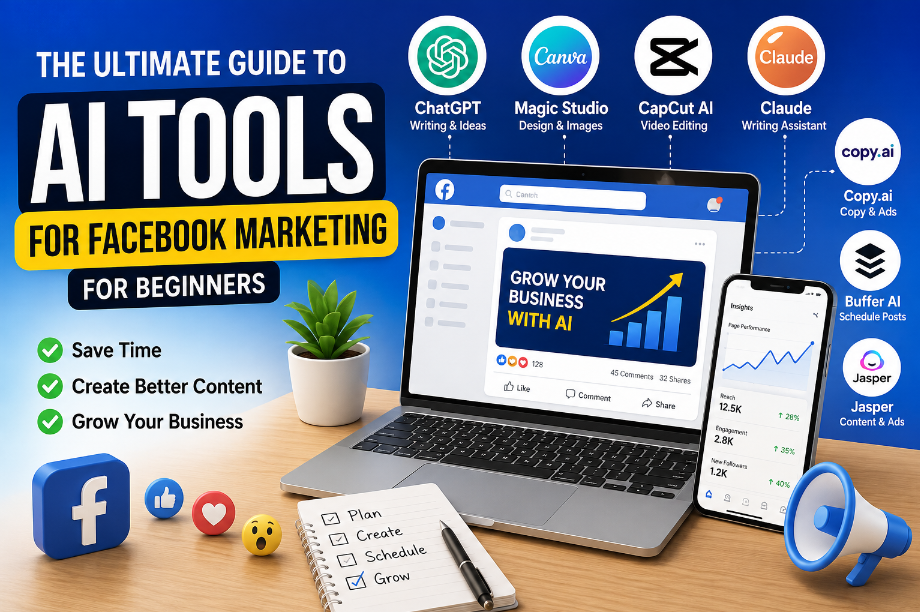
Best AI Tools for Facebook Marketing in 2026 (Beginner’s Guide)
Still spending hours on Facebook but getting very little reach?
Best AI Tools for Facebook Marketing in 2026
my friend Alex opened a small pet shop.He knew many people used Facebook.So he started posting every day.Some posts got a few likes. Most got almost nothing.One day he asked me,”What am I doing wrong?”I looked at his page.His photos were nice.
His products were good. The real problem was simple. He spent so much time thinking about what to post that he often missed posting at all. That is a common problem. Many small business owners do not run out of products.They run out of ideas.
This is where AI can help.AI cannot make your business successful overnight.But it can save you time.It can help you write posts.It can give you new content ideas.Some tools can even help you create images, write Facebook ads, and plan your posts for the week.
The best part?You do not need to be a marketing expert.Most AI tools are easy to learn.Many also have free plans, so you can start without spending money.In this guide, you will learn the best AI tools for Facebook marketing.
I will also tell you which tools are worth your time, which ones you can skip, and how to choose the right one for your needs.Let’s get started.
What Are AI Tools for Facebook Marketing?
Do you ever sit down to make a Facebook post but have no idea what to write?
You are not alone.This happens to many people.Sarah runs a small bakery.Every morning, she wanted to post on Facebook.Some days, she had a good idea.Some days, she looked at a blank screen.She did not know what to write.One day, she tried an AI tool.She typed,
“Give me a Facebook post for my bakery.”
In a few seconds, she had a simple post.Then she asked for three more ideas.Now she had enough content for the whole week.That is what AI tools do.They help you when you do not know where to start.They do not replace your ideas.They help you turn your ideas into a good Facebook post.
What Can AI Help You Do?
AI can help you:
- Write Facebook posts
- Find new content ideas
- Write short captions
- Create image ideas
- Write Facebook ads
- Plan your weekly posts
- Reply to simple comments
Why Do People Use AI?
The biggest reason is simple. It saves time. Instead of thinking for one hour, you can get ideas in a few minutes. Then you can spend more time growing your business.
When Should You Use AI?
AI is a good choice if:
- You own a small business.
- You have a Facebook page.
- You post every week.
- You often run out of ideas.
When Can You Skip It?
You may not need AI if:
- You post only once in a while.
- You already have a full content plan.
- You enjoy writing every post yourself.
A Simple Tip
Do not ask AI to do everything. Ask one simple question at a time.
For example:
- “Write a Facebook post for a coffee shop.”
- “Give me five post ideas for a clothing store.”
Simple questions often give better answers.
Why Use AI for Facebook Marketing?
Is posting on Facebook taking too much of your time?
James owns a small gift shop.He wanted to post every day.But there was a problem. He spent more time writing posts than talking to his customers. One day, he tried an AI tool. First, it gave him three post ideas. Then it helped him write a short post.
In less than 10 minutes, he was ready to publish. James said, “Now I have more time for my business.”That is the biggest reason people use AI. It helps with small jobs. So you can focus on your real work. Read More…
How Can AI Help You?
AI can help you:
- Write Facebook posts
- Find fresh ideas
- Create better captions
- Write simple ads
- Plan your weekly content
- Save time every day
What AI Cannot Do
This is important. AI does not know your customers. It does not know your story. It cannot build trust for you. That part is your job. Use AI to help you write. But always add your own words.
Who Should Use AI?
AI is a good choice for:
- Small business owners
- Bloggers
- Content creators
- Online shops
- Beginners
One Mistake to Avoid
Many people copy the AI answer and post it right away. Do not do that. Read it first. Add your own example. Change a few words. A small change can make your post feel more real.
A Simple Tip
Start with one free AI tool. Use it for one week. If it saves you time, keep using it. If not, try another one. You do not need every AI tool. You only need the one that makes your work easier.
Which AI Tool Is Best for You?
There are many AI tools. But do you really need all of them?
The simple answer is no. When Lisa started Facebook marketing, she downloaded six AI tools. After one week, she was confused. She forgot which tool did what. Then she deleted most of them.
She kept only three. Those three did almost everything she needed. That is a good lesson. More tools do not always mean better results. The right tool is the one that solves your problem.
| AI Tool | Best For | Free Plan | Good for Beginners |
|---|---|---|---|
| ChatGPT | Posts and content ideas | ✅ Yes | ⭐⭐⭐⭐⭐ |
| Canva Magic Studio | Images and Facebook posts | ✅ Yes | ⭐⭐⭐⭐⭐ |
| Meta AI | Quick ideas and captions | ✅ Yes | ⭐⭐⭐⭐⭐ |
| CapCut AI | Facebook videos and Reels | ✅ Yes | ⭐⭐⭐⭐☆ |
| Claude | Writing longer posts | ✅ Yes | ⭐⭐⭐⭐☆ |
| Copy.ai | Short marketing posts | ✅ Yes | ⭐⭐⭐⭐☆ |
| Buffer AI | Planning and scheduling posts | ✅ Yes | ⭐⭐⭐⭐☆ |
| Jasper | Business and ad copy | ⚠️ Limited | ⭐⭐⭐⭐☆ |
Which One Should You Pick?
- Need help writing?
- Start with ChatGPT.
- Need better images?
- Try Canva Magic Studio.
- Need video content?
- Use CapCut AI.
- Need help planning posts?
- Choose Buffer AI.
A Simple Tip
Do not choose a tool because everyone is talking about it. Choose the one that helps you save time. One good tool is better than five tools you never use.
1. ChatGPT
What if you could write a Facebook post in just a few minutes?
Michael owns a small mobile repair shop. Every evening, he wanted to post on Facebook. But he had the same problem. He did not know what to write. Some days, he skipped posting. One day, his friend said,
“Try ChatGPT.” Michael opened it. He typed, “Write a Facebook post for a mobile repair shop.” A few seconds later, he had a ready-to-use post. He did not copy it. He changed a few words. He added the name of his shop.
Then he clicked Post. “It saved me so much time,” he said. That is why ChatGPT is one of the most popular AI tools today. It helps you get started when your mind is blank.
What Can ChatGPT Do?
It can help you:
- Write Facebook posts
- Find new post ideas
- Write captions
- Write Facebook ads
- Give you content ideas
- Help you plan your weekly posts
When Should You Use It?
ChatGPT is a good choice if:
- You do not know what to post.
- You want to save time.
- You need fresh ideas.
- You post on Facebook every week.
When Can You Skip It?
You may not need ChatGPT if:
- You already have a full content plan.
- You enjoy writing every post yourself.
Good Things
- Easy to use
- Free plan available
- Gives ideas quickly
- Saves time
- Great for beginners
Things to Remember
- Do not copy every answer.
- Always read the post first.
- Add your own story or example.
That makes your post feel real.
Beginner Tip
Ask simple questions.
For example:
- “Write a Facebook post for a bakery.”
- “Give me five post ideas for a pet shop.”
Simple questions often give better answers.
2. Canva Magic Studio
People stop for good images before they read your words.
Emma runs a small flower shop. She wrote good Facebook posts. But very few people clicked on them. One day, her friend asked, “Can people notice your post while scrolling?” Emma looked at her page.
Most of her posts had plain photos. They did not stand out. So she tried Canva Magic Studio. She picked a ready-made design. She changed the photo. She added a short title. In less than 10 minutes, her post looked fresh and clean. The next week, more people liked and shared her post. Emma learned something important. A good post needs good words and a good image.
What Can Canva Magic Studio Do?
It can help you:
- Create Facebook post designs
- Make Facebook cover images
- Create event banners
- Remove photo backgrounds
- Create AI images
- Resize designs with one click
When Should You Use It?
Canva is a good choice if:
- You want better-looking posts.
- You do not know graphic design.
- You make Facebook posts every week.
When Can You Skip It?
You may not need Canva if:
- You already work with a designer.
- You only post simple text updates.
Good Things
- Easy to use
- Thousands of free templates
- Works on mobile and computer
- Saves time
- Great for beginners
Things to Remember
A beautiful design is helpful. But it cannot fix a weak post. If your message is not useful, a nice image alone will not bring good results.
Beginner Tip
Use one clear photo. Add a short title. Leave some empty space. A clean design is easier to read than a busy one. People often scroll fast. Give them a reason to stop.
3. Meta AI
Do you ever open Facebook and think, “What should I post today?”
This happened to Ben. He had a small toy shop. Every morning, he wanted to share something on Facebook. Some days, he had a good idea. Some days, he had nothing. So, he posted less and less.
One day, he saw Meta AI. He gave it a try. He asked, “Give me five Facebook post ideas for a toy shop.” In a few seconds, Meta AI gave him many ideas. Ben picked one. Then he asked for a short caption.
He changed a few words. His post was ready. “It feels like I always have someone to help me,” Ben said. That is why many people like Meta AI. It helps when you do not know what to post.
What Can Meta AI Do?
It can help you:
- Find new post ideas
- Write short Facebook posts
- Write captions
- Give simple ad ideas
- Help answer simple questions
When Should You Use It?
Meta AI is a good choice if:
- You run a Facebook page.
- You post every week.
- You often run out of ideas.
- You want to save time.
When Can You Skip It?
You may not need Meta AI if:
- You already have enough content.
- You only use Facebook once in a while.
Good Things
- Free to use
- Easy to learn
- Fast answers
- Good for beginners
- Saves time
Things to Remember
Meta AI gives you ideas. It does not know your business like you do. Always read the answer. Add your own words before you post.
Beginner Tip
Ask one question at a time.
For example:
- “Write a Facebook post for a coffee shop.”
- “Give me three ideas for a weekend sale.”
Simple questions usually give better answers.
4. CapCut AI
Want to make Facebook videos but do not know how to edit them?
Tom sells handmade bags. He wanted to post more videos on Facebook. He took good videos with his phone. But editing was hard. He spent almost one hour making one short video. After a few days, he stopped making videos.
Then his friend showed him CapCut AI. Tom uploaded his video. The tool helped him cut the long parts. It added captions. It even helped him add music. In a few minutes, the video was ready.
Tom was surprised. “I can do this by myself,” he said. That is why many beginners use CapCut AI. It makes video editing much easier.
What Can CapCut AI Do?
It can help you:
- Edit Facebook videos
- Add captions
- Cut long videos
- Add music
- Remove background noise
- Make short videos faster
When Should You Use It?
CapCut AI is a good choice if:
- You post videos on Facebook.
- You want to make Facebook Reels.
- You do not know video editing.
- You want to save time.
When Can You Skip It?
You may not need CapCut AI if:
- You only post photos.
- You never make videos.
Good Things
- Easy to use
- Saves time
- Free plan available
- Good for beginners
- Works on mobile and computer
Things to Remember
Do not add too many effects. A simple video is often better. People want clear videos with useful information.
Beginner Tip
Start with a 20 to 30-second video. Keep your message simple. One helpful video is better than one long and confusing video.
5. Claude
Do you know what you want to say, but can’t find the right words?
This happened to Anna. She had a small handmade jewelry business. She wanted to tell people about her new products. She started writing a Facebook post. After five minutes, she stopped. “It doesn’t sound good,” she said. Then she tried Claude. She typed,
“Write a friendly Facebook post for new handmade bracelets.” Claude gave her a simple post. Anna did not copy it. She added the price. She added her shop name. She also wrote a short story about why she made the bracelets.
Now the post sounded like her. That is the best way to use Claude. Let it help you start. Then make the post your own.
What Can Claude Do?
It can help you:
- Write Facebook posts
- Find new post ideas
- Write longer captions
- Rewrite hard sentences
- Plan your weekly content
When Should You Use It?
Claude is a good choice if:
- You find writing hard.
- You want clear and simple posts.
- You need new ideas every week.
When Can You Skip It?
You may not need Claude if:
- You already enjoy writing your own posts.
- You only post short updates once in a while.
Good Things
- Easy to use
- Free plan available
- Gives clear ideas
- Good for longer posts
- Helps you save time
Things to Remember
Claude gives you a good first draft.
It should not be your final draft.
Always read it.
Add your own story.
That is what helps people trust your page.
Beginner Tip
If the first answer is too long, ask again. You can say, “Make it shorter.”
Or, “Use simple words.” A small change can make your post much easier to read.
6. Copy.ai
“I know what I want to sell. But I don’t know what to write.”
Rachel said this almost every week. She had a small online gift shop. She took nice photos. She added new products often. But writing Facebook posts was always the hardest part. Sometimes she spent 30 minutes writing one post. Then she deleted it.
“It still doesn’t sound right,” she said. One evening, she found Copy.ai. She typed, “Write a Facebook post for handmade birthday gifts.” A few seconds later, Copy.ai gave her a few ideas. She did not use the first one.She read them all.
She picked the one she liked. Then she added her own words. She told people why her gifts were special. She also added a simple question at the end. That post got more comments than her last one. Rachel learned something that day. AI can help you write. But your story is what people remember.
What Can Copy.ai Do?
It can help you:
- Write Facebook posts
- Write product posts
- Write Facebook ads
- Give you new ideas
- Write short marketing text
When Should You Use It?
Use Copy.ai if:
- You sell products online.
- You write many Facebook posts.
- You want to save time.
When Can You Skip It?
You may not need it if:
- You write only a few posts each month.
- You already use another writing tool.
Good Things
- Easy to use
- Fast answers
- Saves time
- Good for product posts
- Free plan available
Things to Remember
Do not copy the first answer.
Read it.
Change it.
Add your own story.
That is what makes your post feel real.
Beginner Tip
People do not buy because of perfect words. People buy because they trust you. Use Copy.ai to save time. Then write like you are talking to one friend.
7. Buffer AI
What if you could plan all your Facebook posts in one day?
Mark owns a small book shop. Every Monday, he told himself, “I will post every day this week.” Monday went well. Tuesday was busy. Wednesday, he forgot. By Friday, his Facebook page was quiet again. He knew posting often was important. He just did not have enough time. Then he tried Buffer AI. On Sunday evening, he wrote four Facebook posts. He added them to Buffer AI. He picked the days and times. Then he pressed Schedule. The next week, his posts went live on time. Even when he was busy at the shop. Mark smiled. “I don’t have to worry about posting every day anymore.” That is why many people use Buffer AI. It helps you stay active without being online all the time.
What Can Buffer AI Do?
It can help you:
- Schedule Facebook posts
- Plan your weekly content
- Write simple captions
- Give post ideas
- Post at the time you choose
When Should You Use It?
Buffer AI is a good choice if:
- You post every week.
- You have a busy schedule.
- You manage one or more Facebook pages.
When Can You Skip It?
You may not need Buffer AI if:
- You post only once in a while.
- You like posting everything by hand.
Good Things
- Easy to use
- Saves time
- Helps you stay organized
- Free plan available
- Good for beginners
Things to Remember
Scheduling a post is only part of the job. When people leave a comment, try to reply. A simple reply can help people trust your page.
Beginner Tip
Pick one day each week to plan your posts. Even one hour can save you a lot of time during the week.
8. Jasper
Do you run out of Facebook post ideas every week?
Kevin had a small furniture store. Every week, new products arrived. But his Facebook page looked the same. He kept posting, n”New stock is here.” After a while, fewer people noticed his posts. Kevin wanted fresh ideas.
But he did not know where to start. One day, he tried Jasper. He asked, “Give me five Facebook post ideas for a furniture store.” Jasper gave him different ideas. One post showed a new sofa. Another shared a home tip.
Another asked a question. His page started to look more interesting. Kevin learned something new.People do not want to see only products. They also like tips, stories, and helpful ideas.
What Can Jasper Do?
It can help you:
- Write Facebook posts
- Write Facebook ads
- Give you content ideas
- Write product descriptions
- Help you plan your content
When Should You Use It?
Jasper is a good choice if:
- You have a business.
- You write many posts every week.
- You want fresh ideas.
When Can You Skip It?
You may not need Jasper if:
- You only post once or twice a month.
- Free AI tools already meet your needs.
Good Things
- Easy to use
- Gives new ideas
- Saves time
- Good for business writing
- Helps you write faster
Things to Remember
Jasper is mainly a paid tool. Before you pay, try free AI tools first. If they do the job well, you may not need Jasper.
Beginner Tip
Do not post only to sell.Mix your posts.
For example:
- Share a useful tip.
- Tell a customer story.
- Show a new product.
- Ask a simple question.
This keeps your Facebook page fresh and gives people a reason to come back.
How to Choose the Right AI Tool
You have seen many AI tools. Which one should you choose?
This question is normal. When Olivia started, she wanted every AI tool she found. She signed up for many of them. After one week, she was confused.
She spent more time changing tools than making Facebook posts. Then she changed her plan. She kept only the tools she used every day.Her work became much easier.You can do the same.
If You Need Help Writing
Choose ChatGPT or Claude. They can help you write Facebook posts and give you new ideas.
If You Need Better Images
Choose Canva Magic Studio. It helps you make clean and eye-catching Facebook posts.
If You Make Videos
Choose CapCut AI. It helps you edit videos without spending hours.
If You Want to Plan Posts
Choose Buffer AI. You can plan your posts for the whole week in one sitting.
If You Run a Business
You can also try Jasper or Copy.ai. They are useful for product posts and Facebook ads.
Start Small
You do not need eight AI tools. Start with one or two. Learn them well. Then decide if you need more.
Before You Pay
Ask yourself four simple questions.
- Does this tool save me time?
- Is it easy to use?
- Will I use it every week?
- Is the free plan enough for me?
If most of your answers are yes, the tool may be a good choice.
A Simple Tip
The best AI tool is not the one with the most features. It is the one that helps you do your work faster and better. Pick the tool that solves your biggest problem. That is all you need.
Common Mistakes Beginners Make
“I used AI, but my Facebook page is still not growing.”
Chris felt confused. He used AI every day. He thought that was enough. But very few people liked or shared his posts. One day, he asked a friend for help. His friend looked at his page for a few minutes.
Then he said, “Your posts are missing one thing.” “What is it?” Chris asked. “You.” Every post sounded like a robot. There was no story. No real photo. No personal touch. The next week, Chris changed his style. He kept using AI. But he also shared his own ideas. He showed his shop.
He shared a customer story. People started to comment more. That is when Chris understood something important. AI helps you write. People connect with you.
Mistake 1: Copying Everything
Do not copy the AI answer and post it. Read it first. Change the words. Make it sound like you.
Mistake 2: Posting Only to Sell
If every post says, “Buy now,” people may lose interest. Share tips. Answer questions. Tell short stories. Then talk about your product.
Mistake 3: Using Too Many AI Tools
More tools do not always help. One or two good tools are enough for most beginners.
Mistake 4: Forgetting Your Readers
Before you post, ask yourself, “Will this help someone?” If the answer is yes, you are moving in the right direction.
Mistake 5: Giving Up Too Soon
- Some posts will do well.
- Some will not.
- That is normal. Keep learning.
- Keep posting.
- Small steps bring big results over time.
A Simple Tip
Use AI to save time. Use your own story to build trust. That simple habit can make a big difference.
A Simple AI Workflow for Facebook
Not sure where to start?
- Let’s keep it simple.
- Meet Lisa.
- She owns a small bakery.
- She posts on Facebook three times a week.
- She follows the same steps every time.
- It only takes a few minutes.
Step 1: Find a Post Idea
Lisa opens ChatGPT. She asks, “Give me five Facebook post ideas for a bakery.” She chooses one idea.
Step 2: Write the Post
Next, she asks ChatGPT to write a short Facebook post. She reads it. Then she adds her own words. She also adds a real photo from her bakery.
Step 3: Make a Better Image
Now she opens Canva Magic Studio. She picks a simple template. She adds a title. Her post now looks clean and easy to read.
Step 4: Make a Short Video
Sometimes Lisa also makes a short video. She uses CapCut AI. It helps her add captions and cut extra parts.
Step 5: Schedule the Post
Finally, she opens Buffer AI. She chooses the day and time. Now the post is ready to go live.
Why This Works
Lisa does not spend hours every day. She follows the same simple steps. That saves time. It also helps her post every week.
One More Tip
Do not post the same type of content every day. Try to mix your posts.
For example:
- Share a helpful tip.
- Show a new product.
- Tell a customer story.
- Ask a simple question.
- Share a short video.
People enjoy pages that share different types of content. That is one reason they come back again.
Frequently Asked Questions (FAQ)
Still have questions?
That is okay. Many beginners ask these questions before they start using AI.
1. Can I use AI for Facebook for free?
Yes.
Many AI tools have free plans. You can start with ChatGPT, Meta AI, Canva Magic Studio, Claude, and CapCut AI without paying. If you need more features later, you can choose a paid plan.
2. Is it okay to use AI for Facebook posts?
Yes.
Many businesses and creators use AI every day. Just remember one thing. Always read the final post before you publish it. Add your own words and your own story.
3. Will AI help my Facebook page grow?
AI can help you make better posts. It can save you time. But it cannot grow your page by itself. You still need to post often and share helpful content.
4. Which AI tool is best for beginners?
If you are just starting, try these three tools:
- ChatGPT for writing
- Canva Magic Studio for images
- CapCut AI for videos
These tools are easy to learn.
5. Do I need design skills?
No.
Most AI design tools have ready-made templates. You only need to change the text and photo.
6. Should I use many AI tools?
No.
Start with one or two tools. Learn them well. Then try another tool if you need it.
7. What is the biggest mistake beginners make?
Many people copy the AI answer and post it right away. That is a mistake. Use AI for ideas. Then add your own story and your own voice.
8. Can AI write Facebook ads?
Yes.
Many AI tools can help you write simple Facebook ads. But always check the ad before you publish it. Make sure it matches your product and your customers. Now you know the answers to the questions most beginners ask. Let’s finish this guide with a few simple tips you can use today.