✅What Is Marketing Automation Software?
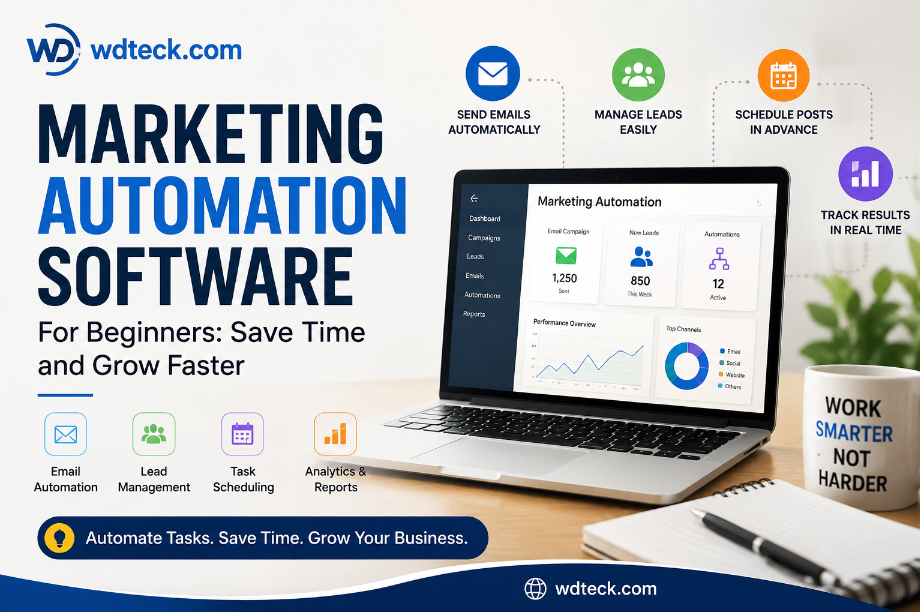
Marketing Automation Software for Beginners: Save Time and Grow Faster
Meta Description:
Learn what marketing automation software is, how beginners use it, and how it helps businesses save time and manage customers better.
What Is Marketing Automation Software?
Marketing automation software helps businesses handle marketing tasks automatically.
Instead of sending every email manually or posting on social media every day, the software does those tasks for you.
For example, when someone joins your email list, the software can instantly send a welcome email automatically.
That is marketing automation in simple words.
Table of Contents
- What Is Marketing Automation Software?
- Why Small Businesses Love Marketing Automation
- How Marketing Automation Helps Beginners
- Common Mistakes Beginners Make
- Best Tools for Beginners
- Key Takeaways
- FAQs
- Conclusion
Introduction
A friend of mine started a small online store last year.
At first, managing customers was easy. He replied to messages himself, posted on Instagram daily, and sent emails manually.
But as more people started visiting the store, things became harder to manage.
Some customers did not get replies on time. Follow-up emails were missed. Social media posts became irregular.
That’s when he tried marketing automation software.
Within a few days, welcome emails started going out automatically. Social posts were scheduled in advance. Customer follow-ups became easier.
The business did not become perfect overnight.
But daily work became much simpler.
If you are new to online business or digital marketing, this guide will help you understand what marketing automation software does, why people use it, and how beginners can start without confusion.
Key Takeaways
- Marketing automation helps save time
- Beginners can use it easily
- It keeps customer communication organized
- Email automation is the most popular feature
- Small businesses can benefit a lot from it
Why Small Businesses Love Marketing Automation
What Is It?
Marketing automation is software that handles repeated marketing tasks automatically.
Why Does It Matter?
Small business owners already have many things to manage every day.
Replying to emails, posting content, and following up with customers takes time.
Marketing automation helps reduce manual work.
How Does It Help?
It helps businesses:
- send emails faster,
- stay organized,
- and reply to customers more consistently.
When Should You Use It?
You should think about using automation when:
- your customer list starts growing,
- you forget follow-ups,
- or daily marketing tasks take too much time.
Common Beginner Mistake
Many beginners try to automate everything on the first day.
That usually creates confusion.
Beginner Tip
Start with one simple task first.
Welcome emails are a good place to start.
Action Tip
Create one automatic welcome email before trying advanced automation features.
How Marketing Automation Helps Beginners
Many beginners think automation tools are difficult to use.
Most modern tools are actually built for beginners.
They usually include:
- simple dashboards,
- ready-made templates,
- drag-and-drop builders,
- and easy setup steps.
For example, tools like Mailchimp allow beginners to create email campaigns in a short time.
Common Beginner Mistake
Some beginners buy expensive tools too early.
Later, they realize they only use a few basic features.
Beginner Tip
Start with a free plan first.
Learn the basics before spending money on advanced plans.
Action Tip
Try a free automation tool for one week and test one feature daily.
Best Marketing Automation Tools for Beginners
Tool
Best For
Pros
Cons
Mailchimp
Email marketing
Easy to use
Limited free features
HubSpot
All-in-one marketing
Beginner friendly
Paid plans cost more
Brevo
Small businesses
Affordable
Fewer advanced tools
ActiveCampaign
Email automation
Powerful features
Takes time to learn
Quick Tool Review
Mailchimp
Best For
Beginners and small businesses
Free Plan Available?
Yes
Ease of Use
Very easy
Pros
- Simple dashboard
- Easy email setup
- Good for beginners
Cons
- Free plan has limits
- Some features cost extra
Practical Observation
Most beginners can create their first email campaign within 20 minutes.
The setup process feels simple and beginner friendly.
Best Paid Alternative
HubSpot
Best Free Alternative
Brevo
Common Mistakes Beginners Should Avoid
1. Trying Too Many Features at Once
Learning slowly is better than rushing.
2. Sending Too Many Emails
Too many automatic emails can annoy customers.
3. Choosing Difficult Software
Some tools are made for large companies and may confuse beginners.
4. Forgetting to Test Emails
Always send test emails to yourself before launching a campaign.
Action Tip
Before turning on any automation, test the full process using your own email address.
FAQs
Is marketing automation only for large companies?
No. Small businesses, freelancers, and beginners use it too.
Do I need technical skills?
No. Most beginner tools are simple to use.
What is the easiest tool for beginners?
Mailchimp is one of the easiest platforms for beginners.
Can marketing automation help increase sales?
Yes. Faster replies and better follow-ups can help businesses get more customers.
Is marketing automation expensive?
Not always. Many tools offer free plans for beginners.
Conclusion
Marketing automation software helps businesses save time and stay organized.
You do not need to learn everything in one day.
Start small.
Try one feature first, learn how it works, and slowly improve from there.
Even simple automation can make daily work much easier over time.
Soft CTA
If you are curious about marketing automation, start with a free tool and test one small feature this week.
Comment CTA
Have you ever tried a marketing automation tool? Share your experience in the comments.
Email Signup CTA
Want more beginner-friendly marketing guides? Join our email list and get simple tips every week.
Monetization Ideas
Affiliate Tools
- Mailchimp
- HubSpot
- ActiveCampaign
Related Products
- CRM software
- Email templates
- Landing page tools
Free Alternatives
- Brevo
- MailerLite
Featured Image Idea
Headline Text
“Marketing Automation Made Simple”
Visual Concept
A small business owner working on a laptop while emails and social media posts run automatically in the background.
Target Audience
Beginners and small business owners
Emotion to Trigger
Relief and simplicity
Content Upgrade
Beginner Quick Start Checklist
✅ Create a free account
✅ Add your first email list
✅ Write one welcome email
✅ Schedule one social media post
✅ Test everything yourself
✅ Check results after 7 days