✅What Is Customer Support Software? A Beginner’s Guide (2026)
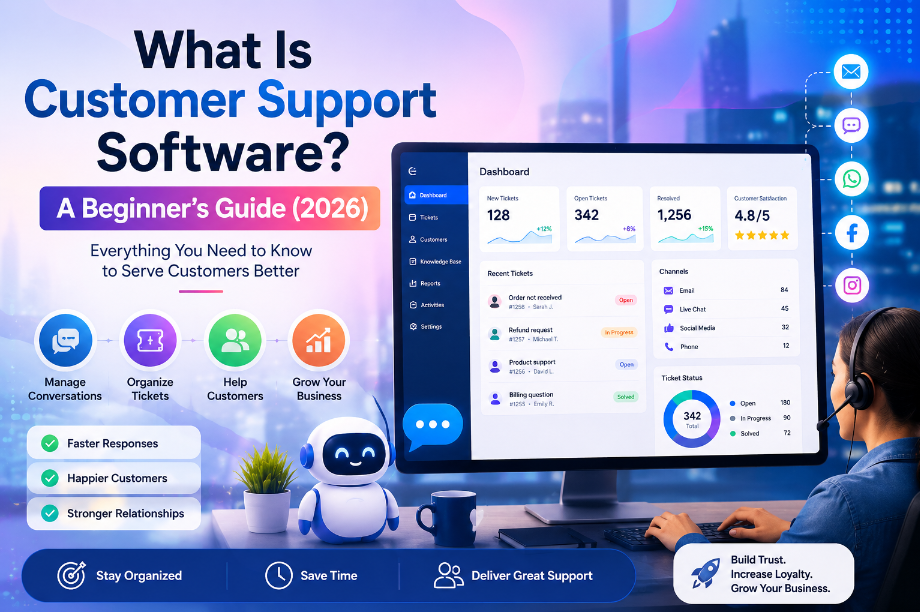
What Is Customer Support Software? A Beginner’s Guide (2026)
Introduction
Have you ever contacted a company because you needed help?
Maybe your order was late.
Maybe you couldn’t sign in to your account.
Or maybe you wanted to return a product.
You sent a message and hoped someone would reply soon.
When the reply came quickly, you probably felt happy. The problem was solved, and you could move on with your day.
Now imagine you own a small business.
Instead of one message, you receive 20 messages before lunch.
Some customers email you.
Some send a message on Facebook.
Others use live chat on your website.
Keeping up with every conversation becomes difficult.
It is easy to miss a message or reply too late.
That is where customer support software can help.
It brings all your customer conversations into one place. Instead of switching between different apps, you can see every message on a single screen.
This saves time, keeps your team organized, and helps customers get answers faster.
The best part is that you don’t need to run a large company to use it. Even a small business or a one-person online store can benefit from customer support software.
In this guide, you’ll learn what customer support software is, how it works, why businesses use it, and what to look for when choosing one.
Let’s start with the basics.
What Is Customer Support Software?
Imagine your business has one front desk where every customer walks in to ask for help.
No matter how they arrive, they all come to the same place.
Customer support software works in a similar way.
It collects customer messages from different channels and shows them in one simple dashboard.
Whether a customer sends an email, starts a live chat, fills out a contact form, or messages you on social media, you can manage everything without jumping from one app to another.
This makes customer service much easier.
Instead of searching through different inboxes, your team can focus on helping people.
Here is a simple example.
Emma owns a small online candle shop.
At first, she answered customer emails on her laptop, Facebook messages on her phone, and website chats in another browser.
One busy weekend, she forgot to reply to a customer who wanted to change a delivery address.
The package was sent to the wrong place.
The customer was upset, and Emma had to spend extra time fixing the mistake.
Later, she started using customer support software.
Now every customer message appears in one dashboard.
She can see who needs help, which questions have already been answered, and which conversations are still open.
Nothing gets lost.
Her customers receive faster replies, and her workday feels much less stressful.
In simple words, customer support software is a tool that helps businesses organize customer conversations, answer questions faster, solve problems more easily, and provide a better customer experience.
Whether you have ten customers a week or thousands every day, customer support software helps you stay organized and build stronger relationships with your customers.
Why Is Customer Support Software Important?
Let’s imagine two small businesses.
Both sell products online.
Both have great products.
Both want happy customers.
But there is one big difference.
The first business answers customer messages whenever someone has free time.
The second business uses customer support software to manage every conversation.
Which business do you think gives better customer service?
Most people would choose the second one.
Why?
Because customers don’t like waiting.
When someone has a question, they want a clear answer as soon as possible.
If they wait too long, they may leave your website and buy from another company.
Sometimes, they may even share their bad experience with others.
A slow reply can cost a business both customers and sales.
Customer support software helps prevent this.
It keeps every customer conversation in one place, so your team always knows who needs help.
No message gets lost.
No customer is forgotten.
Let’s look at another simple story.
Jake owns a small pet supply store.
One day, he received more than 40 customer messages.
Some people wanted to track their orders.
Others wanted to exchange a product.
A few customers had payment questions.
Jake tried to answer everything using email and social media.
By the end of the day, he had missed several messages.
A few customers left negative reviews because they didn’t get a reply.
After switching to customer support software, things changed.
Every message appeared in one dashboard.
Jake could see which customer needed help first.
He replied faster, solved problems more quickly, and his customers became happier.
His business didn’t change overnight.
His products stayed the same.
The only difference was that he organized his customer support better.
That is why customer support software is important.
It helps businesses:
- Reply to customers faster.
- Keep every conversation organized.
- Reduce missed messages.
- Work better as a team.
- Build trust with customers.
- Create a better customer experience.
Happy customers often come back.
They are also more likely to tell their friends about your business.
That means good customer support doesn’t just solve problems.
It can also help your business grow.
Whether you run a small online store, a local business, or a growing company, customer support software can save time, reduce stress, and help you give every customer the attention they deserve.
How Does Customer Support Software Work?
Now that you know why customer support software is important, you might be wondering how it actually works.
The good news is that it is much simpler than most people think.
Let’s follow a real-life example.
Imagine Mia owns a small online skincare store.
One Monday morning, she receives three customer messages.
The first customer sends an email asking, “Where is my order?”
The second customer starts a live chat because they forgot their password.
The third customer sends a Facebook message about returning a product.
Without customer support software, Mia has to open three different apps.
She checks her email.
Then she opens Facebook.
Next, she signs in to her live chat account.
She spends more time switching between apps than helping customers.
Now let’s see what happens when Mia uses customer support software.
As soon as a customer sends a message, it appears in one dashboard.
It doesn’t matter where the message comes from.
Email, live chat, social media, or a contact form—everything shows up in the same place.
Mia opens the dashboard and sees all three conversations.
She replies to the first customer with the order tracking details.
She helps the second customer reset their password.
Then she sends return instructions to the third customer.
When each problem is solved, she marks the conversation as completed.
That’s it.
The software keeps everything organized.
If the customer comes back next week, Mia can quickly see their previous messages.
She doesn’t have to ask the same questions again.
This makes the experience better for both the business and the customer.
A Simple Step-by-Step Process
Most customer support software works like this:
- A customer sends a message.
- The message appears in one shared dashboard.
- A support agent opens the conversation.
- The agent replies and helps solve the problem.
- The conversation is marked as resolved.
- The software saves the conversation for future reference.
The entire process takes place in one system.
There is no need to jump between different apps or search through old emails.
That is why businesses of all sizes use customer support software.
It helps teams work faster, stay organized, and give customers a smoother experience.
The simpler your support process is, the easier it becomes to keep your customers happy.
Top Features of Customer Support Software
Not every customer support software is the same.
Some tools are made for small businesses.
Others are built for large companies with thousands of customers.
Even so, most good customer support software includes a few important features.
Let’s look at them one by one.
1. Shared Inbox
A shared inbox brings all customer messages into one place.
Instead of checking email, live chat, and social media separately, your team can see everything in a single inbox.
This saves time and helps everyone stay organized.
2. Ticket Management
Every customer question becomes a ticket.
Think of a ticket as a small task that needs to be completed.
A ticket stays open until the customer’s problem is solved.
This makes it much easier to track every request.
3. Live Chat
Many customers don’t want to wait for an email reply.
They want help right away.
With live chat, visitors can ask questions while they are browsing your website.
A quick answer can help them feel more confident and complete their purchase.
4. Knowledge Base
Some customers like to solve problems on their own.
A knowledge base is a collection of helpful articles that answer common questions.
For example, customers can learn how to reset a password, track an order, or request a refund without waiting for a support agent.
This saves time for both the customer and your team.
5. Automation
Imagine answering the same question fifty times every day.
It would become tiring.
Automation can handle simple tasks for you.
For example, it can send a welcome message, confirm that a support request has been received, or direct the customer to the right team.
Your staff can then focus on solving more important problems.
6. Reports and Analytics
Good customer support software also shows how your support team is performing.
You can see useful information such as:
- How many customer requests you receive
- How quickly your team replies
- How long it takes to solve a problem
- How satisfied customers are after getting help
These reports help you find areas that need improvement.
Which Features Matter Most?
If you are just starting a business, you don’t need every feature.
Look for software that offers:
- A shared inbox
- Ticket management
- Live chat
- A simple knowledge base
- Basic automation
These features are more than enough for most small businesses.
As your business grows, you can always upgrade to a tool with more advanced features.
The goal is not to find the software with the longest list of features.
The goal is to find a tool that helps you serve your customers faster, stay organized, and make every support experience simple and pleasant.
Types of Customer Support Software
Not every business needs the same kind of customer support software.
A small online store has different needs than a large company.
That is why there are different types of customer support software.
Let’s look at the most common ones.
1. Help Desk Software
Help desk software is one of the most popular choices.
It turns every customer question into a support ticket.
Your team can see which tickets are new, which are being worked on, and which have already been solved.
This helps everyone stay organized.
A help desk is a great choice for small businesses that receive many customer emails every day.
2. Live Chat Software
Sometimes customers need help before they decide to buy.
They may have a simple question about a product or service.
Live chat lets them talk to your team while they are still on your website.
A quick answer can help them make a buying decision.
For many online businesses, live chat can improve both customer satisfaction and sales.
3. AI Customer Support Software
Many modern support tools now include AI features.
For example, an AI chatbot can answer simple questions at any time of the day.
If a customer asks about business hours or shipping times, the chatbot can reply in seconds.
When the question is more difficult, the conversation can be passed to a real support agent.
This gives customers faster help while reducing the workload for your team.
4. Omnichannel Support Software
Customers contact businesses in many different ways.
Some send emails.
Others use Facebook, Instagram, WhatsApp, or live chat.
Omnichannel customer support software brings all of these conversations into one dashboard.
Your team can reply without switching between different apps.
This creates a smoother experience for both customers and support agents.
5. CRM with Customer Support
Some businesses want more than basic customer service.
They also want to keep track of customer information, previous purchases, and past conversations.
A CRM with customer support combines all of this in one place.
For example, before replying to a customer, your team can see what they bought, when they contacted you before, and whether they have any open support requests.
This helps your team provide more personal and helpful support.
Which Type Should You Choose?
If you are just starting a small business, don’t worry about getting every feature.
Start with a simple customer support software that includes a shared inbox, ticket management, and live chat.
As your business grows, you can always add more advanced tools like AI support or CRM features.
The best customer support software is not the one with the most features.
It is the one that makes it easy for your team to help customers quickly, stay organized, and build trust with every conversation.
Benefits of Customer Support Software for Small Businesses
Running a small business is not easy.
You may be the owner, the marketer, the salesperson, and the customer support agent—all at the same time.
When customer messages start to grow, it becomes harder to keep everything under control.
That is why many small businesses choose customer support software.
It helps you save time, stay organized, and give better service without making your work more difficult.
Let’s look at the biggest benefits.
You Reply Faster
Customers don’t like waiting.
If someone asks a question today, they usually expect an answer today.
Customer support software keeps every message in one place, so you don’t waste time searching through different apps.
The faster you reply, the happier your customers will be.
You Never Miss Important Messages
It is easy to lose track of conversations when messages come from email, Facebook, Instagram, and your website.
One missed message can lead to a lost customer.
Customer support software helps you see every new request in one dashboard, making it much easier to stay on top of your work.
Your Team Works Better Together
As your business grows, more people may start helping with customer support.
Without a clear system, two team members might answer the same question, while another customer gets no reply at all.
Customer support software lets everyone see which conversations are open, who is working on them, and which problems have already been solved.
This keeps the team organized and avoids confusion.
Customers Feel More Valued
People remember good service.
When customers receive quick, friendly, and helpful replies, they are more likely to trust your business.
Many of them will come back when they need another product or service.
Good customer support is one of the easiest ways to build long-term customer relationships.
You Save Time Every Day
Many customer questions are the same.
People ask about shipping, returns, payments, or account problems again and again.
Customer support software can help you answer these questions more quickly by using saved replies, knowledge base articles, or automation.
This gives you more time to focus on growing your business.
You Make Better Business Decisions
Good customer support software does more than manage conversations.
It also helps you understand your customers.
You can see which questions people ask most often, how quickly your team responds, and where customers need more help.
These insights can help you improve your products, your website, and your customer service.
A Small Change Can Make a Big Difference
Think about two online stores that sell the same product at the same price.
One store replies after two days.
The other replies within ten minutes.
Which store would you trust?
For most people, the answer is clear.
Customers may forget the price.
They may even forget the product.
But they rarely forget how a business treated them.
That is why customer support software is more than just another business tool.
It helps you create a better experience for every customer.
And when customers have a great experience, they are more likely to come back, leave positive reviews, and recommend your business to others.
How to Choose the Right Customer Support Software
By now, you know what customer support software does and why so many businesses use it.
The next question is simple.
Which one should you choose?
There are hundreds of customer support tools on the market.
Some are made for small businesses.
Others are designed for large companies with big support teams.
The best choice depends on your business, your budget, and your daily needs.
Here are a few things to think about before making a decision.
Start With Your Business Size
You don’t need expensive software if you’re just getting started.
A small online store or local business can do very well with a simple tool that is easy to use.
Choose software that gives you the features you need today.
You can always upgrade later as your business grows.
Make Sure It Is Easy to Use
A good tool should save time, not create more work.
If you need hours of training just to answer a customer message, the software is probably too complicated.
Look for a clean dashboard that is easy to understand from the first day.
Think About Your Customers
How do your customers usually contact you?
If most people send emails, email support may be enough.
If they use live chat or social media, choose software that supports those channels too.
The right tool should match the way your customers like to communicate.
Check the Features You Really Need
Many software companies offer long lists of features.
Don’t feel pressured to use them all.
Instead, focus on the basics.
For most small businesses, these features are enough:
- Shared inbox
- Ticket management
- Live chat
- Simple automation
- Knowledge base
- Basic reports
If a tool handles these well, it can meet the needs of many growing businesses.
Compare the Pricing
Price is important, but it should not be the only factor.
The cheapest software is not always the best value.
Think about what you get for your money.
Sometimes paying a little more gives you better support, more useful features, and room to grow.
Choose a plan that fits your current budget without paying for features you may never use.
Read Real Customer Reviews
Before choosing any software, take a few minutes to read customer reviews.
People who use the software every day often share honest opinions about what works well and what could be better.
Look for reviews that mention ease of use, customer support, and reliability.
These details can help you avoid making the wrong choice.
Try the Free Trial
Many customer support software companies offer a free trial.
This is one of the best ways to see if a tool is right for your business.
Use the trial to explore the dashboard, answer a few test messages, and see how comfortable it feels.
A few days of testing can save you from choosing software that doesn’t meet your needs.
The Right Software Should Grow With Your Business
The perfect software doesn’t have to be the most expensive or the most popular.
It should make your work easier.
It should help your team reply faster.
And it should give your customers a better experience every time they reach out.
If a customer support software helps you stay organized, saves you time, and keeps your customers happy, you’ve found a tool that’s worth using.
Best Customer Support Software for Beginners
If you’re new to customer support software, you may feel confused.
There are so many options that it’s hard to know where to start.
The truth is, there is no perfect tool for every business.
The best choice depends on your budget, the size of your business, and the way your customers contact you.
Here are some popular customer support software options that many businesses use.
1. Zendesk
Zendesk is a well-known customer support platform.
It brings email, live chat, social media messages, and support tickets into one place.
It also offers automation and reporting tools to help support teams work more efficiently.
Zendesk can be a good fit for businesses that expect to grow and need a platform with many features.
Best for: Growing businesses and larger support teams.
2. Freshdesk
Freshdesk is known for being easy to use.
It offers ticket management, live chat, automation, and a clean dashboard that beginners can learn quickly.
Many small businesses choose Freshdesk because it is simple to set up and offers different pricing plans.
Best for: Small businesses and startups.
3. Help Scout
Help Scout is designed to make customer support feel more personal.
Its shared inbox is clean and easy to manage.
Instead of feeling like a traditional ticket system, it helps teams have natural conversations with customers.
Best for: Small teams that want a simple and friendly support experience.
4. Zoho Desk
Zoho Desk is a good choice for businesses that already use other Zoho products.
It includes ticket management, automation, reports, and support across different communication channels.
It can help businesses keep customer information and support requests in one place.
Best for: Businesses already using the Zoho ecosystem.
5. HubSpot Service Hub
HubSpot Service Hub combines customer support with customer relationship management (CRM).
Support teams can view customer details, past conversations, and support requests without switching between different systems.
This makes it easier to provide more personal support.
Best for: Businesses that want customer support and CRM together.
Which One Should You Choose?
If you are starting your first business, don’t worry about choosing the “perfect” tool.
Instead, ask yourself a few simple questions.
- How many customer messages do I receive each day?
- Do my customers mostly use email, live chat, or social media?
- Do I need basic support today, or do I expect my business to grow quickly?
- What is my monthly budget?
Your answers will make the decision much easier.
Remember, good customer support is not about using the most expensive software.
It is about replying quickly, staying organized, and helping customers solve their problems.
The right customer support software should make your work easier and give your customers a better experience every time they contact your business.
Frequently Asked Questions
What is customer support software used for?
Customer support software helps businesses manage customer questions, complaints, and requests from one place.
Instead of checking emails, live chat, and social media separately, support teams can handle every conversation from a single dashboard.
This makes customer service faster, more organized, and easier to manage.
Is customer support software only for large companies?
No.
Businesses of all sizes can benefit from customer support software.
A small online store, a local business, or even a freelancer can use it to stay organized and reply to customers more quickly.
Many software providers also offer affordable plans for small businesses.
What is the difference between customer support software and help desk software?
Help desk software is mainly designed to manage customer support tickets.
Customer support software is often a broader solution.
It may include ticket management, live chat, automation, a knowledge base, reporting, and support for multiple communication channels.
Many modern platforms combine both into one system.
Can customer support software improve customer satisfaction?
Yes.
Customers appreciate fast and helpful replies.
When businesses answer questions quickly and solve problems without delay, customers usually have a better experience.
Happy customers are also more likely to return and recommend the business to others.
Does customer support software work with email and social media?
Most modern customer support software does.
Many tools allow businesses to manage emails, live chat, Facebook messages, Instagram messages, contact forms, and other communication channels from one dashboard.
The available channels may vary depending on the software you choose.
Is customer support software difficult to learn?
Not usually.
Most customer support tools are designed to be easy for beginners.
Many platforms have simple dashboards, step-by-step guides, and free tutorials that help new users get started quickly.
If you can use email, you can usually learn the basics of customer support software without much difficulty.
How do I choose the right customer support software?
Start by thinking about your business needs.
Consider how many customer messages you receive, which communication channels you use most often, your budget, and the features that matter to you.
Trying a free trial is a great way to see if a tool is the right fit before paying for a subscription.
Final Thoughts
Customer support is one of the most important parts of any business.
You can have great products and fair prices, but if customers cannot get help when they need it, they may choose another company.
That is why many businesses invest in customer support software.
It helps teams stay organized, respond faster, and create a better experience for every customer.
The good news is that you don’t need a large company or a big budget to get started.
Many customer support tools are simple to use and are designed for small businesses and beginners.
Start by thinking about your daily needs.
How many customer messages do you receive?
Which channels do your customers use the most?
What features will save you the most time?
Once you know the answers, choosing the right customer support software becomes much easier.
Remember, the goal is not to find the software with the longest list of features.
The goal is to find a tool that helps you serve your customers with confidence and consistency.
When customers feel heard and supported, they are more likely to trust your business, come back in the future, and recommend you to others.
That is a win for both your customers and your business.
What’s Next?
If you’re ready to choose a customer support solution, take time to compare a few trusted options.
Look at their features, pricing, ease of use, and customer reviews.
Most providers offer a free trial, so you can test the software before making a decision.
Trying a few tools yourself is the best way to find the one that fits your business.
A small improvement in customer support today can lead to happier customers, stronger relationships, and steady business growth in the future.
Common Mistakes to Avoid When Choosing Customer Support Software
Choosing customer support software is an important decision.
Many business owners focus only on price.
Others choose the tool with the longest list of features.
Both can lead to problems later.
Here are some common mistakes you should avoid.
Choosing the Cheapest Option
Saving money is important.
But the cheapest software may not have the features your business needs.
If your team spends extra time doing simple tasks, the software may cost you more in the long run.
Instead of looking for the lowest price, look for the best value.
Paying for Features You Never Use
Some platforms include dozens of advanced features.
They may look impressive, but you may never use most of them.
If you run a small business, start with a simple solution.
As your business grows, you can always upgrade.
Ignoring Ease of Use
Good software should make your work easier.
If your team finds the dashboard confusing, they may avoid using it.
Choose a tool that is simple to learn and easy to use every day.
Forgetting About Customer Needs
Think about how your customers prefer to contact you.
If most of them send emails, email support is essential.
If they like live chat or social media, make sure the software supports those channels.
The best software is the one that matches your customers’ habits.
Skipping the Free Trial
Many businesses buy software without testing it first.
That can be a costly mistake.
A free trial lets you explore the dashboard, test the features, and see if the software fits your workflow.
Even a few days of testing can help you make a smarter decision.
Not Planning for Future Growth
Your business may be small today, but it may grow over time.
Choose customer support software that can grow with you.
A platform that supports more users, more conversations, and more features will save you from switching to a new system later.
Final Tip
There is no single customer support software that is perfect for every business.
The right choice depends on your goals, your customers, and your budget.
Take your time, compare a few trusted options, and choose the one that helps you provide faster, friendlier, and more organized customer service.
Quick Comparison of Popular Customer Support Software
If you don’t have time to read detailed reviews, this quick comparison can help you understand the main differences between some popular customer support tools.
Software
Best For
Free Plan
Key Features
Zendesk
Growing businesses
No
Ticketing, live chat, automation, reports
Freshdesk
Small businesses
Yes
Shared inbox, ticketing, live chat, automation
Help Scout
Small support teams
Yes (limited)
Shared inbox, knowledge base, reporting
Zoho Desk
Zoho users
Yes
Ticketing, automation, multichannel support
HubSpot Service Hub
Businesses using a CRM
Yes
Customer support, live chat, CRM, knowledge base
Which Tool Is Right for You?
Every business is different.
A tool that works well for one company may not be the best choice for another.
Here are a few simple suggestions.
Choose Zendesk if…
- Your business is growing quickly.
- You have a larger support team.
- You need advanced tools and detailed reports.
Choose Freshdesk if…
- You are just getting started.
- You want software that is easy to learn.
- You need a free plan to begin.
Choose Help Scout if…
- You prefer simple and personal customer conversations.
- Your support team is small.
- You want a clean and easy-to-use dashboard.
Choose Zoho Desk if…
- You already use other Zoho products.
- You want to keep your business tools together.
- You need multichannel customer support.
Choose HubSpot Service Hub if…
- You want customer support and CRM in one platform.
- Your team works closely with sales and marketing.
- You want to see customer information and support history in one place.
One Last Piece of Advice
Don’t choose software because it is the most popular.
Don’t choose it because someone else uses it.
Choose the tool that solves your biggest problems today.
If it helps you answer customers faster, stay organized, and save time every day, it is probably the right choice for your business.
Remember, great customer service starts with helping people—not with having the most expensive software.
How to Get Started with Customer Support Software
Reading about customer support software is helpful.
But taking the first step is even more important.
If you’re ready to improve your customer service, you don’t need to do everything at once.
Start with these simple steps.
Step 1: List Your Customer Support Channels
Think about how your customers contact you.
Do they send emails?
Do they use live chat?
Do they message you on Facebook or Instagram?
Write down every channel you use today.
This will help you choose software that supports the right communication channels.
Step 2: Count Your Daily Support Requests
You don’t need an exact number.
A simple estimate is enough.
For example:
- Fewer than 20 messages a day
- Around 20–100 messages a day
- More than 100 messages a day
Knowing your support volume makes it easier to choose the right plan.
Step 3: Choose the Features You Need
Don’t get distracted by long feature lists.
Ask yourself a few simple questions.
Do I need a shared inbox?
Do I need live chat?
Do I want automation?
Do I need a knowledge base?
Start with the features you will actually use.
Step 4: Try a Free Plan or Free Trial
Many customer support software providers let you test their platform before you pay.
Use this time to explore the dashboard.
Send a few test messages.
Create a support ticket.
See how easy it is to find customer conversations.
A short trial can tell you more than hours of reading reviews.
Step 5: Train Your Team
If more than one person answers customer questions, make sure everyone follows the same process.
Decide who replies to new messages.
Use a friendly and professional tone.
Keep customer information updated after every conversation.
A simple process helps your team provide consistent support.
Step 6: Review Your Results
After using the software for a few weeks, look at your progress.
Ask yourself:
- Are we replying faster?
- Are we missing fewer messages?
- Are customers happier?
- Is our team saving time?
If the answer is “yes,” you’re moving in the right direction.
Start Small and Keep Improving
You don’t need the most advanced customer support software on your first day.
Choose a tool that is simple, easy to use, and fits your business today.
As your business grows, your support system can grow with it.
The most important step is to start.
Every faster reply, every solved problem, and every happy customer helps build a stronger business over time.
Signs Your Business Needs Customer Support Software
Not every business needs customer support software on day one.
But as your business grows, there comes a point when handling customer messages becomes much harder.
If you notice any of the signs below, it may be time to start using customer support software.
You Miss Customer Messages
Have you ever found an email that should have been answered three days ago?
Or noticed a Facebook message that you completely forgot about?
This happens when customer conversations are spread across different apps.
Customer support software brings everything into one place, making it much easier to keep track of every message.
Customers Wait Too Long for a Reply
Fast replies build trust.
Long waits create frustration.
If customers often ask, “Is anyone there?” or “Can you please respond?” your current support process may need improvement.
Customer support software helps your team respond more quickly and stay organized.
Your Team Feels Overwhelmed
As your business grows, customer questions also increase.
Without a clear system, your team may spend more time searching for messages than solving problems.
A shared dashboard helps everyone know what needs attention and who is handling each conversation.
You Answer the Same Questions Every Day
Some questions come up again and again.
Customers ask about shipping.
They ask about returns.
They ask how to reset a password.
Instead of typing the same answer every time, customer support software can help you use saved replies, automation, or a knowledge base.
This saves time for both your team and your customers.
It Is Difficult to Track Customer Problems
Imagine a customer contacts you today and comes back next week with the same issue.
Can you quickly find the previous conversation?
If not, you may spend valuable time asking the same questions again.
Customer support software keeps your conversation history in one place, making follow-up support much easier.
Your Business Is Growing
Growth is exciting.
But it also brings more customer questions.
The support process that worked for ten customers may not work for one hundred.
Using customer support software before things become overwhelming can help your business grow without sacrificing customer service.
A Quick Checklist
You may be ready for customer support software if:
- You receive customer messages from multiple channels.
- You sometimes miss or forget to reply.
- Your response time is getting slower.
- Your support team is growing.
- Customers ask the same questions every day.
- You want to provide a more professional support experience.
If you answered “yes” to even two or three of these points, customer support software could make your daily work much easier.
The earlier you build a simple support system, the easier it will be to keep your customers happy as your business continues to grow.
Customer Support Software vs. CRM: What’s the Difference?
If you’re new to business software, you may come across another term called CRM.
At first, customer support software and CRM may seem very similar.
Both help businesses work with customers.
Both store customer information.
Both can improve the customer experience.
So, what’s the difference?
Let’s make it simple.
What Is Customer Support Software?
Customer support software is designed to help businesses answer customer questions and solve problems.
It keeps customer conversations in one place.
Your support team can reply to emails, manage tickets, answer live chats, and track customer requests from a single dashboard.
Its main goal is simple.
Help customers quickly and solve their problems.
What Is a CRM?
CRM stands for Customer Relationship Management.
A CRM helps businesses manage customer relationships before, during, and after a sale.
It stores customer details such as contact information, past purchases, sales activity, and follow-up tasks.
Sales and marketing teams often use a CRM to build stronger relationships with customers and keep track of potential buyers.
A Simple Example
Imagine you own a small online furniture store.
A customer visits your website and buys a dining table.
A few days later, they send a message because one chair arrived damaged.
Your customer support software helps your team reply to the message, arrange a replacement, and close the support request.
At the same time, your CRM keeps a record of the customer’s purchase, contact details, and buying history.
The two tools work together, but they have different jobs.
One solves customer problems.
The other helps manage customer relationships.
Which One Do You Need?
If your biggest challenge is answering customer questions, customer support software is usually the right place to start.
If your business is growing and you also want to manage leads, sales, customer records, and follow-up activities, a CRM can be a valuable addition.
Many businesses eventually use both.
Some modern platforms even combine customer support software and CRM into one system, making it easier to manage both customer service and customer relationships from a single dashboard.
The Bottom Line
Customer support software and CRM are not competitors.
They solve different problems.
Customer support software helps your team deliver faster and better support.
A CRM helps your business build stronger customer relationships over time.
When used together, they can create a smoother experience for both your team and your customers.