Business Automation Software: 10 Best Tools to Save Time and Grow Your Business
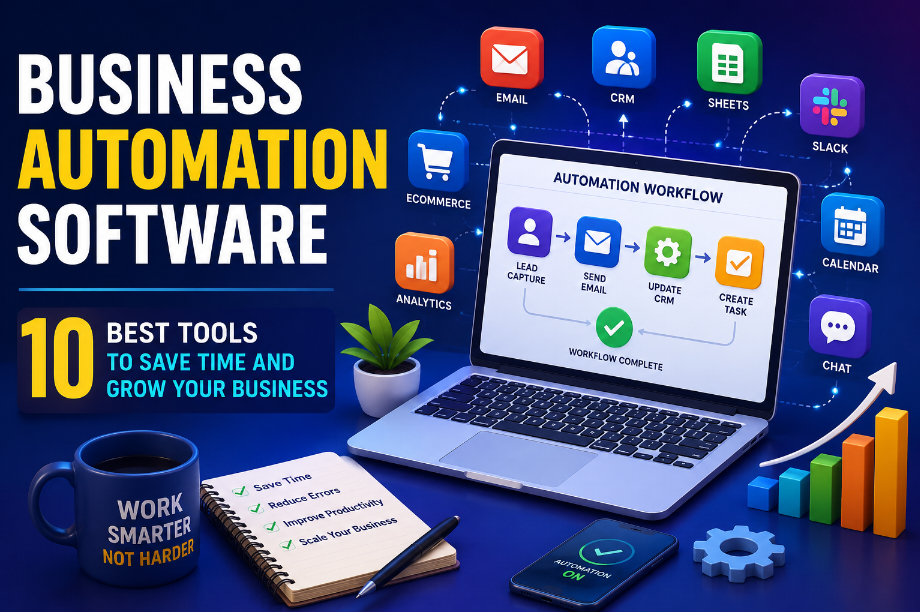
Business Automation Software: 10 Best Tools to Save Time and Grow Your Business
Meta Title: Business Automation Software: 10 Best Tools to Save Time and Grow Your Business
Meta Description: Find the best Business Automation Software to cut repetitive work, save time, improve workflows, and help your small business grow with less manual work.
Focus Keyword: Business Automation Software
Introduction: Your Business Should Not Depend on Repeating the Same Tasks
Running a business often means doing the same small tasks again and again.
You answer similar emails. You copy customer details into different tools. You remind people about meetings. You move tasks from one list to another. You send follow-ups that you already know need to be sent.
None of these jobs seem huge on their own. But when you add them together, they can take hours every week.
That is where Business Automation Software can help.
Business automation software lets you set rules for routine work so certain tasks happen automatically when something specific occurs. For example, a new lead can enter your CRM, receive a welcome email, and create a follow-up task without someone doing each step by hand.
The goal is not to automate everything.
The goal is to give people more time for work that actually needs a human.
Google’s guidance also makes an important point for website owners: useful content should be made for people first, provide real value, and add something beyond what is already available online.
So in this guide, instead of simply listing popular tools, we will look at what each tool is good at, who should use it, and when it may not be the best choice.
What Is Business Automation Software?
Business automation software helps you create a set of steps that run automatically when a certain event happens.
Think of it like this:
Trigger → Rule → Action
For example:
A customer fills out a form → check the information → add the customer to your CRM → send a confirmation email → create a follow-up task.
Without automation, a person may need to complete all five steps.
With the right software, the system can handle most of them automatically.
Common business tasks that can be automated include:
- Lead collection
- Email follow-ups
- Customer onboarding
- Appointment reminders
- Task assignment
- Sales updates
- Data entry
- Team notifications
- Customer support steps
- Internal approvals
- Reports and alerts
HubSpot, for example, describes workflows using triggers and actions to automate tasks such as sending emails, creating follow-ups, updating CRM data, and assigning work.
Why Should a Small Business Use Automation?
You do not need a huge company to benefit from automation.
In fact, small businesses may benefit even more because they often have fewer people handling many different jobs.
1. It saves time
A five-minute task does not sound important.
But if you do it 20 times a week, that is more than an hour and a half spent on the same task.
Automation can remove some of that repeated work.
2. It reduces simple mistakes
Copying customer information from one system to another can lead to spelling mistakes, missing fields, or forgotten updates.
A well-tested workflow can handle these simple steps consistently.
3. It helps you respond faster
If a new customer sends an inquiry at 10 PM, you may not be available to answer immediately.
An automated confirmation can let them know their message was received while the team handles the next step later.
4. It makes growth easier
If your business gets twice as many leads, you do not always want twice as much manual work.
Good automation can help a small team handle more activity without adding another person for every repeated task.
10 Best Business Automation Software Tools
There is no single best tool for every business.
The right choice depends on what you want to automate.
Software
Best For
Main Strength
Good Starting Point For
Zapier
Connecting apps
Large app ecosystem
Beginners
Make
Multi-step workflows
Visual workflow builder
Growing businesses
HubSpot
CRM and marketing
Customer workflows
Sales and marketing teams
Salesforce
Enterprise CRM
Complex processes
Larger businesses
monday.com
Team work
Task and team automation
Small and mid-size teams
Asana
Project management
Task rules
Project teams
ClickUp
All-in-one work
Flexible workflows
Productivity-focused teams
ActiveCampaign
Email marketing
Customer journeys
Online businesses
Pipedrive
Sales
Pipeline automation
Sales teams
Kissflow
Internal processes
No-code workflows
Operations teams
Tip: Do not choose software because it has the longest feature list. Choose it because it solves a problem you actually have.
1. Zapier — Best for Connecting Different Apps
Zapier is one of the easiest options for businesses that use many different apps.
Its basic idea is simple:
When something happens in App A → do something in App B.
For example:
New website form → Google Sheets → CRM → email notification.
Zapier currently says its platform supports a library of more than 9,000 apps and offers no-code, low-code, and full-code automation options.
Best for:
- Small businesses
- Freelancers
- Agencies
- Content creators
- Teams using many separate apps
One thing to watch:
The more complex your workflows become, the more important it is to understand your task usage, app connections, and workflow limits before building a large system.
Best beginner use: Start with one simple two-app workflow.
2. Make — Best for More Detailed Workflows
Make is a good choice when a simple two-step automation is not enough.
Its visual workflow style lets you build more detailed processes with multiple steps and paths.
For example:
New lead → check source → check lead type → add to CRM → send the right email → notify sales → create task.
This gives you more control over what happens at each stage.
Best for:
- Agencies
- Online businesses
- Operations teams
- People who need multi-step workflows
One thing to watch:
Make can feel less simple than basic automation tools when your workflows become large.
Best beginner use: Build one workflow with three to five steps before trying something more complex.
3. HubSpot — Best for CRM and Marketing Automation
HubSpot is useful when your business wants marketing, sales, customer data, and automation to work together.
For example, when someone fills out a form, a workflow can update the contact record, send a message, assign a lead, and create a follow-up task.
This is helpful because the automation is connected to customer information rather than being only an app-to-app connection.
Best for:
- Small and growing businesses
- Marketing teams
- Sales teams
- Businesses that need a CRM
One thing to watch:
Some advanced workflow features depend on the HubSpot subscription you use.
Best beginner use: Automate your lead follow-up process first.
4. Salesforce — Best for Larger Businesses
Salesforce is built for businesses with more detailed sales and customer processes.
It can make sense when your company has many teams, customer records, approval steps, and business rules.
Best for:
- Larger businesses
- Sales organizations
- Complex customer workflows
- Companies already using Salesforce
One thing to watch:
It may be more than a small business needs.
If you only want to connect Gmail to a spreadsheet, using an enterprise CRM may create unnecessary cost and work.
Best use: Complex customer and sales operations.
5. monday.com — Best for Team Workflows
monday.com is useful when the main problem is managing work between people.
Imagine a content team.
A writer finishes an article.
Instead of someone manually telling the editor, changing the status, and creating the next task, automation can help move the work forward.
Best for:
- Marketing teams
- Content teams
- Agencies
- Project teams
One thing to watch:
Automation works best when your team already has a clear workflow. If nobody knows who owns a task, automation cannot fix that problem.
Best beginner use: Automate task assignment and status changes.
6. Asana — Best for Project Management
Asana is a strong option if your business already organizes work around projects and tasks.
For example:
Task marked “Ready for Review” → assign it to the editor → add a due date → notify the right person.
This removes small steps that teams often forget.
Best for:
- Project teams
- Marketing teams
- Agencies
- Remote teams
One thing to watch:
Asana is mainly a work and project management tool. If your biggest need is CRM or advanced customer automation, another platform may be a better fit.
7. ClickUp — Best for Flexible Work Management
ClickUp combines tasks, projects, documents, and workflow features.
Its flexible structure makes it useful for businesses that want to keep many parts of their work in one place.
A simple automation could be:
Task moves to “Done” → notify manager → create the next task.
Best for:
- Small teams
- Agencies
- Freelancers
- Businesses looking for an all-in-one work platform
One thing to watch:
Because ClickUp offers many features, new users can sometimes spend too much time setting up the system.
Best beginner use: Start with tasks and one or two simple automations.
8. ActiveCampaign — Best for Email Automation
ActiveCampaign is a strong option for businesses where email plays a big role.
For example:
Someone joins your email list → send welcome email → wait → send helpful tip → send product information → create sales follow-up.
This can help a business stay in touch with customers without sending every message manually.
Best for:
- Online businesses
- Email marketers
- Course creators
- Ecommerce businesses
One thing to watch:
Do not create long email sequences just because the software allows them.
Every message should have a reason.
9. Pipedrive — Best for Sales Teams
Pipedrive focuses on sales pipelines.
A sales team can use automation to reduce repeated CRM work.
For example:
Deal moves to “Proposal Sent” → create follow-up activity → notify salesperson → schedule the next step.
This helps salespeople spend more time talking to prospects and less time updating records.
Best for:
- Sales teams
- Consultants
- Agencies
- B2B companies
One thing to watch:
Automation cannot replace a good sales process.
First decide how your sales pipeline should work. Then automate the repeated parts.
10. Kissflow — Best for Internal Business Processes
Kissflow focuses more on internal business processes.
It can be useful for workflows such as:
- Leave requests
- Purchase approvals
- Employee onboarding
- IT requests
- Internal approvals
- Operations tasks
Best for:
- Operations teams
- Growing companies
- Businesses with many approval processes
One thing to watch:
If your business only needs simple app connections, a lighter automation tool may be easier.
Business Automation Software: Which One Should You Pick?
Instead of asking:
“Which is the best automation software?”
Ask:
“What is wasting my team’s time right now?”
Then choose the tool around that problem.
Choose Zapier if:
You want to connect different apps quickly.
Choose Make if:
You need more detailed, multi-step workflows.
Choose HubSpot if:
Your main focus is leads, customers, sales, and marketing.
Choose Salesforce if:
Your business has complex CRM needs.
Choose monday.com or Asana if:
Your main problem is managing team work.
Choose ClickUp if:
You want a flexible work platform with automation.
Choose ActiveCampaign if:
Email and customer follow-up are central to your business.
Choose Pipedrive if:
Your biggest need is sales pipeline automation.
Choose Kissflow if:
You want to automate internal business processes.
5 Business Tasks You Can Automate Today
You do not need to build a huge automation system.
Start with something small.
1. New Lead Follow-Up
Form submission → CRM → welcome email → sales task
This is one of the most useful starting points for many businesses.
2. Customer Onboarding
New customer → welcome email → create task → send instructions → schedule follow-up
This creates a more consistent first experience.
3. Appointment Reminders
Appointment booked → confirmation → reminder → follow-up
This can reduce the number of small messages your team needs to send.
4. Content Workflow
Article created → editor notified → review task → publishing task → social media task
This can be especially useful for websites and content teams.
5. Internal Requests
Employee submits request → manager notified → approval → task assigned
This is useful for companies with regular approval steps.
How to Start With Business Automation Software
The biggest mistake is trying to automate the entire business on day one.
Start with one boring task.
Step 1: Find a repeated task
Look for something your team does several times every week.
Step 2: Write down the steps
Do not automate a process you do not understand.
Write:
What happens first? What happens next? Who needs to know? What should happen at the end?
Step 3: Pick the simplest tool
If Zapier can solve your problem, you may not need a large business platform.
If you need a CRM, choose a CRM-based solution.
If you need team workflow automation, choose a project management tool.
Step 4: Test it
Run the workflow with test data.
Check what happens if information is missing or something goes wrong.
Step 5: Measure the result
Ask:
- How much time did we save?
- Did mistakes decrease?
- Did customers get faster replies?
- Did the team actually use it?
If the answer is yes, automate the next task.
Automation Is Not About Removing People
This is an important point.
Good automation should remove repeated work, not remove good judgment.
A system can send a confirmation email.
A system can create a task.
A system can move information from one place to another.
But a person may still need to handle an angry customer, make a sales decision, solve a unique problem, or approve an important request.
The best setup is often:
Software handles the routine work. People handle the important work.
That is where automation becomes truly useful.
Final Thoughts
The best Business Automation Software is not necessarily the most powerful or the most expensive tool.
It is the tool that fits your actual workflow.
For a small business connecting several apps, Zapier can be a simple starting point. For more detailed workflows, Make may give you more control. If your main need is customer and sales automation, HubSpot or Salesforce may make more sense.
For project-based teams, monday.com, Asana, or ClickUp can reduce repeated task work. For email marketing, ActiveCampaign is worth considering, while sales teams may prefer Pipedrive.
The smart approach is simple:
Find one repeated task. Automate it. Test it. Measure the result. Then move to the next one.
You do not need to automate your whole business to see a benefit.
You just need to stop doing the same boring task manually when software can safely do it for you.
What Will You Automate First?
If you could remove one repeated task from your workday, what would it be?
Email follow-ups, lead management, customer support, data entry, or team tasks?
Tell us in the comments. And if you are exploring AI and productivity tools, check out our other guides to find simple ways to save time and get more done.
Suggested Internal Links
- Best AI Tools for Small Businesses
- Best Productivity Tools for Entrepreneurs
- ChatGPT Prompts for Business Owners
- Best AI Tools for Business
- Workflow Automation for Beginners