✅Best AI Tools for Pinterest Marketing in 2026
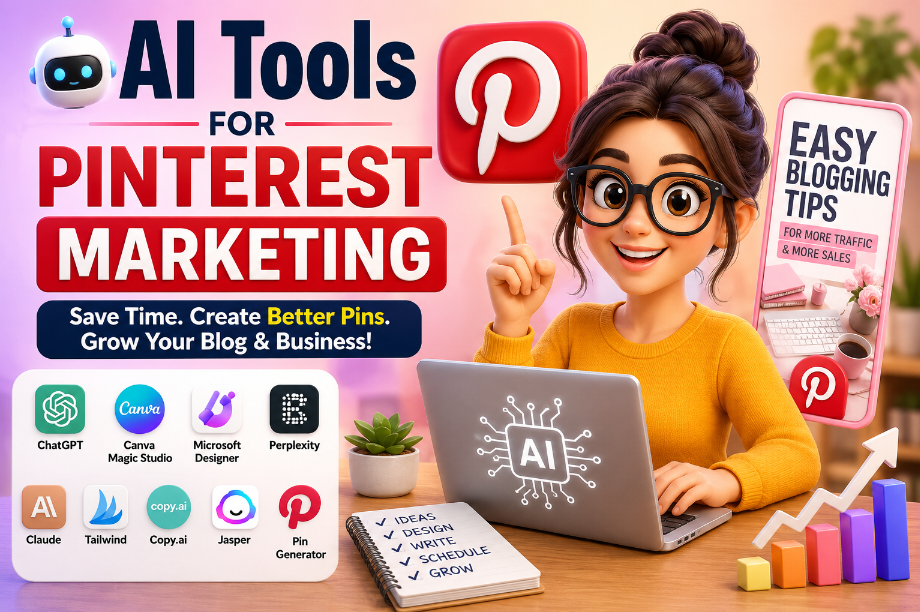
11 Best AI Too Faster With Less Work)
Introduction
Last year, my friend Sarah started a small blog.
She spent hours making Pinterest Pins. She searched for ideas, wrote Pin titles, and made images one by one.
After all that work, she got only a few clicks.
She felt tired.
One day, she tried a few AI Tools for Pinterest Marketing.
In just one week, everything changed.
She made better Pins in less time. She found new ideas faster. Writing Pin titles became easy. She finally had more time to write blog posts instead of spending all day making Pins.
That is why more bloggers and small business owners are using AI today.
You do not need to be a Pinterest expert.
You do not need to be a designer.
Many AI tools are made for beginners. They are easy to use and can help you save time every day.
In this guide, you will learn about the best AI Tools for Pinterest Marketing. I will explain each tool in simple words. You will learn what it does, who should use it, and how it can help you grow on Pinterest.
Let’s get started.
What Are AI Tools for Pinterest Marketing?
Imagine this.
You want to make 10 Pinterest Pins for your blog.
You open your computer.
Now you need to think of Pin ideas.
Then you need a good title.
After that, you need a nice image.
Next, you write a Pin description and choose the right keywords.
Doing all this by yourself can take hours.
Now imagine a smart helper sitting next to you.
It gives you new ideas.
It writes Pin titles.
It helps you design beautiful Pins.
It even helps you find keywords and plan your next posts.
That is what AI Tools for Pinterest Marketing do.
These tools use artificial intelligence to help you finish your Pinterest work faster.
They do not replace your ideas.
They help you turn your ideas into great Pins in less time.
For example, an AI tool can help you:
- Find fresh Pinterest content ideas
- Write eye-catching Pin titles
- Create beautiful Pin images
- Write simple Pin descriptions
- Find useful keywords
- Plan your Pinterest posts
- Save time every week
The best part is that you do not need any special skills.
If you can use Pinterest, you can also learn these AI tools.
Most of them are easy to use.
Some even have free plans, so you can try them before you spend any money.
Why Use AI for Pinterest Marketing?
Let’s look at another simple story.
Emma has a food blog.
Every week, she wants to share five new Pins.
Before using AI, she spent almost a full day making them.
She had to think of ideas.
She wrote titles again and again.
She made each Pin by hand.
By the end of the day, she felt tired.
Then she started using AI.
Now she gets new ideas in minutes.
She writes better Pin titles faster.
She creates beautiful Pins with less work.
Instead of spending all day on Pinterest, she has more time to write new blog posts.
That is why many people now use AI Tools for Pinterest Marketing.
Here are some simple ways AI can help.
Save Time
AI can do many small jobs for you.
It helps you finish your work much faster.
Find New Ideas
Running out of ideas is normal.
AI can give you fresh topics when you do not know what to post.
Write Better Pin Titles
A good title makes people stop and look.
AI can help you write short, clear, and interesting titles.
Make Better Pin Images
Some AI tools can help you create eye-catching Pin designs.
You do not need to be a graphic designer.
Help You Stay Active
Pinterest likes fresh content.
AI helps you plan your work, so you can post more often without feeling stressed.
Good for Beginners
You do not need years of experience.
Most AI tools are easy to learn.
You can start with free tools and grow step by step.
AI will not make your Pinterest account grow by itself.
You still need good ideas and helpful content.
But AI can save your time and make your work much easier.
Which AI Tool Should You Choose?
You may have a simple question.
“Which AI tool is best for me?”
The answer depends on what you want to do.
Do you want to write better Pin titles?
Do you want to make beautiful Pin images?
Do you want to save time?
Or do you want one tool that can help with many jobs?
The table below will help you choose.
AI Tool
Best For
Free Plan
Easy for Beginners
ChatGPT
Writing Pin titles, descriptions, and content ideas
Yes
⭐⭐⭐⭐⭐
Canva Magic Studio
Making beautiful Pinterest Pins
Yes
⭐⭐⭐⭐⭐
Tailwind
Planning and scheduling Pins
Yes
⭐⭐⭐⭐☆
Perplexity
Finding new ideas and doing quick research
Yes
⭐⭐⭐⭐⭐
Microsoft Designer
Creating Pin images with AI
Yes
⭐⭐⭐⭐⭐
Claude
Writing longer content and brainstorming
Yes
⭐⭐⭐⭐☆
Ideogram
Making AI images with text
Yes
⭐⭐⭐⭐☆
Adobe Express AI
Designing social media graphics
Yes
⭐⭐⭐⭐☆
Copy.ai
Writing marketing copy
Yes
⭐⭐⭐⭐☆
Jasper
Writing content for businesses
Limited
⭐⭐⭐⭐☆
Pin Generator
Creating many Pinterest Pins faster
Paid
⭐⭐⭐⭐☆
You do not need every tool on this list.
If you are just starting, one or two tools are enough.
Many beginners start with ChatGPT for writing and Canva Magic Studio for making Pins.
As your Pinterest account grows, you can try more tools if you need them.
Now, let’s look at each tool one by one and see how it can help you grow on Pinterest.
1. ChatGPT
Have you ever looked at a blank screen and thought,
“What should I write?”
Many beginners feel this way.
That is where ChatGPT can help.
ChatGPT is one of the most useful AI Tools for Pinterest Marketing. It can help you write faster and come up with new ideas.
You type a simple question.
ChatGPT gives you ideas in a few seconds.
What Can ChatGPT Do?
It can help you:
- Write Pin titles
- Write Pin descriptions
- Find blog post ideas
- Create Pinterest content plans
- Find new keyword ideas
- Write calls to action
- Turn one blog post into many Pin ideas
Why Beginners Like It
You do not need any special skills.
Just ask a simple question.
For example:
- “Give me 10 Pinterest title ideas.”
- “Write a short Pin description.”
- “Give me blog ideas about home decor.”
ChatGPT will give you ideas that you can change to match your own style.
Pros
- Very easy to use
- Saves a lot of time
- Gives ideas quickly
- Works for many types of Pinterest content
- Has a free plan
Cons
- The first answer is not always perfect
- You should check the facts before you post
- It cannot replace your own ideas and experience
Best For
ChatGPT is a great choice for bloggers, small business owners, and beginners who want to create Pinterest content faster.
Beginner Tip
Do not copy every answer exactly.
Read it first.
Add your own ideas, your own story, and your own style.
That will help your Pinterest content feel more real and more helpful.
2. Canva Magic Studio
Have you ever had a good blog post but no idea how to make a nice Pinterest Pin?
This happened to Lisa.
She had a travel blog.
Her writing was good, but her Pins did not look nice.
People did not click on them.
One day, she tried Canva Magic Studio.
She picked a template.
She changed the text.
She added one photo.
In a few minutes, her Pin was ready.
She did not need to learn graphic design.
That is why many beginners like Canva Magic Studio.
It helps you make beautiful Pinterest Pins without making things hard.
What Can Canva Magic Studio Do?
It can help you:
- Make Pinterest Pins in minutes
- Create images with AI
- Remove a photo background
- Change the size of a design
- Write simple text for your Pin
- Use ready-made templates
Why Beginners Like It
Everything is easy to find.
You can drag and drop.
You can change colors.
You can change text.
You can add your own photos.
If you have never designed a Pin before, Canva makes the job much easier.
Pros
- Very easy to use
- Thousands of ready-made templates
- Saves a lot of time
- Free plan available
- Works on both mobile and computer
Cons
- Some AI tools are only in the paid plan
- Many people use the same templates, so your design may look like others if you do not change it
Best For
Canva Magic Studio is best for bloggers, small business owners, and anyone who wants to make eye-catching Pinterest Pins without learning design.
Beginner Tip
Do not use a template exactly as it is.
Change the title.
Use your own photo if you can.
Pick colors that match your brand.
Small changes can make your Pin look fresh and help people notice it.
3. Tailwind
Do you forget to post on Pinterest?
Many beginners do.
Tom had the same problem.
Some weeks, he posted every day.
Other weeks, he did not post at all.
His Pinterest traffic went up and down.
Then he started using Tailwind.
On Sunday, he planned his Pins for the whole week.
After that, Tailwind posted them for him.
Now he did not need to remember every day.
He had more time to write new blog posts.
That is why many people use Tailwind.
It helps you stay active on Pinterest without doing everything by hand.
What Can Tailwind Do?
It can help you:
- Plan your Pinterest Pins
- Post Pins at the right time
- Save your Pin ideas
- Create simple Pin designs
- Write Pin text with AI
- See how your Pins are doing
Why Beginners Like It
You do not have to post every day.
You can plan your work once.
Then Tailwind does the rest.
This makes Pinterest feel much easier.
Pros
- Saves a lot of time
- Easy to plan your Pins
- Helps you post more often
- Has a free plan
- Good for busy bloggers
Cons
- Some tools need a paid plan
- It takes a little time to learn the first time
Best For
Tailwind is a good choice for bloggers, online shops, and small business owners who want to post on Pinterest more often without extra work.
Beginner Tip
Do not fill your whole month with Pins in one day.
Start with a few Pins each week.
Watch which Pins get the most clicks.
Then make more Pins like those.
You do not need to be perfect.
Just keep posting helpful and fresh content.
4. Perplexity
One evening, Mia wanted to make new Pinterest Pins.
She opened her laptop.
Then she stopped.
“I have no new ideas today,” she said.
She searched online for almost an hour.
Still, nothing felt right.
The next day, her friend told her about Perplexity.
Mia typed one simple question.
“What are people searching for on Pinterest about small kitchens?”
In a few seconds, she got many ideas.
She smiled.
Now she knew what to write.
That is why many creators like Perplexity.
It helps you find ideas when your mind feels empty.
What Can Perplexity Do?
It can help you:
- Find new content ideas
- Answer simple questions
- Learn about a new topic
- Find popular trends
- Help you plan your next blog post
- Give you ideas for Pin titles
Why Beginners Like It
You do not need to search many websites.
Just ask one question.
Perplexity gives you a simple answer.
This saves time and helps you start faster.
Pros
- Very easy to use
- Gives ideas in seconds
- Saves time
- Free plan available
- Great for finding fresh topics
Cons
- Not every answer is perfect
- You should always read the answer and make sure it is correct
- It cannot replace your own ideas and experience
Best For
Perplexity is a good choice for bloggers, Pinterest beginners, and anyone who wants new content ideas without spending hours searching.
Beginner Tip
Do not ask very big questions.
Ask one simple question at a time.
For example:
- “Give me 10 Pinterest ideas for home decor.”
- “What are people searching for about meal prep?”
- “Give me blog ideas for new moms.”
Simple questions often give better answers.
5. Microsoft Designer
Ryan had a new blog.
He wrote helpful articles.
But there was one problem.
His Pinterest Pins looked plain.
People saw them, but very few clicked.
One day, Ryan tried Microsoft Designer.
He typed a few words.
“Modern kitchen with fresh vegetables.”
A few moments later, the tool showed him beautiful images.
He picked one.
Added a short title.
His Pin was ready.
Ryan smiled.
“What took me one hour now takes only a few minutes.”
That is why many beginners like Microsoft Designer.
It helps you make good-looking Pins without spending hours on design.
What Can Microsoft Designer Do?
It can help you:
- Create Pinterest Pin images
- Make AI images from your ideas
- Add text to your design
- Remove photo backgrounds
- Change your design in a few clicks
- Make social media graphics
Why Beginners Like It
You do not need design skills.
You do not need expensive software.
Just type what you want.
The tool helps you create a nice design.
Pros
- Very easy to use
- Makes beautiful images fast
- Free plan available
- Good for beginners
- Works well for Pinterest designs
Cons
- Some features need a Microsoft account
- The free plan has limits
Best For
Microsoft Designer is a great choice for bloggers, small business owners, and anyone who wants to create eye-catching Pinterest Pins without learning graphic design.
Beginner Tip
Keep your Pin simple.
Use one clear image.
Write a short title with large text.
Leave some empty space around the text.
A clean Pin is often easier to read, especially on a mobile phone.
6. Ideogram
Anna wanted to make a Pinterest Pin for her blog.
She opened a design tool.
The Pin looked nice, but there was one problem.
The text in the image was blurry.
She tried again.
The same thing happened.
Then she found Ideogram.
She typed a simple idea.
“A clean home office with the words ‘Work From Home Tips'”
A few seconds later, Ideogram created an image with clear and easy-to-read text.
Anna changed a few small things and saved her Pin.
She was happy.
Now she could make unique Pinterest images without spending hours.
That is why many creators use Ideogram.
It is known for making AI images with clear text, which is very helpful for Pinterest Pins.
What Can Ideogram Do?
It can help you:
- Create AI images from your ideas
- Add clear text inside images
- Make unique Pinterest Pin designs
- Try different image styles
- Create images for blog posts and social media
Why Beginners Like It
You do not need to draw.
You do not need design skills.
Just describe the image you want.
Ideogram does the hard work for you.
Pros
- Easy to use
- Creates unique images
- Text in images is often clearer than many AI image tools
- Free plan available
- Good for Pinterest and blogs
Cons
- The free plan has daily limits
- You may need to try a few prompts to get the image you want
Best For
Ideogram is a good choice for bloggers, Pinterest creators, and small business owners who want original images instead of using the same stock photos.
Beginner Tip
Keep your prompt short and clear.
For example:
- “Healthy breakfast on a white table.”
- “Modern living room with green plants.”
- “Simple budget planner with blue colors.”
Simple prompts often give better results.
Also, remember this.
A beautiful image can make people stop scrolling.
But a helpful blog post is what makes them stay.
Use Ideogram to catch attention, then give readers useful content that solves their problem.
6. Ideogram
Anna wanted to make a Pinterest Pin for her blog.
She opened a design tool.
The Pin looked nice, but there was one problem.
The text in the image was blurry.
She tried again.
The same thing happened.
Then she found Ideogram.
She typed a simple idea.
“A clean home office with the words ‘Work From Home Tips'”
A few seconds later, Ideogram created an image with clear and easy-to-read text.
Anna changed a few small things and saved her Pin.
She was happy.
Now she could make unique Pinterest images without spending hours.
That is why many creators use Ideogram.
It is known for making AI images with clear text, which is very helpful for Pinterest Pins.
What Can Ideogram Do?
It can help you:
- Create AI images from your ideas
- Add clear text inside images
- Make unique Pinterest Pin designs
- Try different image styles
- Create images for blog posts and social media
Why Beginners Like It
You do not need to draw.
You do not need design skills.
Just describe the image you want.
Ideogram does the hard work for you.
Pros
- Easy to use
- Creates unique images
- Text in images is often clearer than many AI image tools
- Free plan available
- Good for Pinterest and blogs
Cons
- The free plan has daily limits
- You may need to try a few prompts to get the image you want
Best For
Ideogram is a good choice for bloggers, Pinterest creators, and small business owners who want original images instead of using the same stock photos.
Beginner Tip
Keep your prompt short and clear.
For example:
- “Healthy breakfast on a white table.”
- “Modern living room with green plants.”
- “Simple budget planner with blue colors.”
Simple prompts often give better results.
Also, remember this.
A beautiful image can make people stop scrolling.
But a helpful blog post is what makes them stay.
Use Ideogram to catch attention, then give readers useful content that solves their problem.
8. Adobe Express AI
Sara runs a small online shop.
Every week, she wants to share new Pinterest Pins.
But making each Pin takes a long time.
One afternoon, she tried Adobe Express AI.
She picked a Pinterest template.
She changed the photo.
She added a short title.
Then the AI helped her make the design look better.
In less than ten minutes, her Pin was ready.
Sara could not believe how easy it was.
Now she spends less time designing and more time growing her business.
That is why many beginners like Adobe Express AI.
It gives you simple tools to make clean and eye-catching Pinterest Pins.
What Can Adobe Express AI Do?
It can help you:
- Make Pinterest Pins
- Create social media graphics
- Remove photo backgrounds
- Resize your designs
- Add text to your Pins
- Use ready-made templates
Why Beginners Like It
You do not need to start from a blank page.
Choose a template.
Change the text.
Add your photo.
Save your design.
It is that simple.
Pros
- Easy to use
- Many beautiful templates
- Saves time
- Works on mobile and computer
- Free plan available
Cons
- Some AI tools are only in the paid plan
- Too many design choices can feel confusing at first
Best For
Adobe Express AI is a good choice for bloggers, small business owners, and content creators who want to make professional-looking Pinterest Pins without spending hours designing.
Beginner Tip
Do not add too much text to your Pin.
Use one clear message.
Pick a large font.
Make sure people can read your title in just a few seconds.
A simple Pin is often better than a busy one.
Remember, people scroll fast on Pinterest.
Your Pin has only a few seconds to catch their eye.
9. Copy.ai
Priya had a great blog post.
Now she needed a Pinterest Pin.
She opened her notebook.
She tried to write a title.
She wrote one.
Then she deleted it.
She wrote another one.
She did not like that one either.
After twenty minutes, she still had no title.
Her friend said,
“Why don’t you try Copy.ai?”
Priya opened the tool.
She typed a few words.
“Easy meal ideas for busy families.”
A few seconds later, Copy.ai gave her many title ideas.
It also wrote a short Pin description.
Priya did not copy everything.
She picked the ideas she liked.
Then she changed a few words to match her own style.
Her Pin was ready much faster.
That is why many beginners use Copy.ai.
It helps when you know your topic but do not know how to say it.
What Can Copy.ai Do?
It can help you:
- Write Pinterest Pin titles
- Write Pin descriptions
- Write short social media posts
- Give you new content ideas
- Help you write faster
Why Beginners Like It
You do not have to think of every word by yourself.
Just tell the tool what your blog is about.
It will give you a few ideas.
Then you can choose the one you like best.
Pros
- Very easy to use
- Gives ideas in seconds
- Saves time
- Good for short writing
- Free plan available
Cons
- Some tools need a paid plan
- The first answer may sound too general
- You should always make the text your own
Best For
Copy.ai is a good choice for bloggers, Pinterest beginners, and small business owners who want help writing titles and short text.
Beginner Tip
Do not use the first title you see.
Read all the ideas.
Pick the best one.
Then make it a little better by adding your own words.
For example, instead of writing:
Easy Dinner Ideas
You can write:
15 Easy Dinner Ideas You Can Make in 30 Minutes
A small change like this can make more people want to click.
Remember, AI gives you ideas.
You make those ideas useful.
That is the best way to grow on Pinterest.
10. Jasper
Alex wanted more people to visit his blog.
He knew Pinterest could help.
But every week, he had the same problem.
He needed a blog post.
He needed Pinterest titles.
He needed Pin descriptions.
Writing everything took a long time.
One day, Alex tried Jasper.
He asked it to help with his blog post.
Then he asked for Pinterest titles.
Next, he asked for a short Pin description.
His work became much faster.
He still read every word.
He changed a few lines.
He added his own ideas.
Soon, everything was ready to post.
That is how many people use Jasper.
They do not let AI do all the work.
They use it as a helper.
What Can Jasper Do?
It can help you:
- Write blog posts
- Write Pinterest Pin titles
- Write Pin descriptions
- Give you blog ideas
- Help you write faster
- Create simple marketing text
Why Beginners Like It
Jasper is easy to use.
You tell it what you want.
It gives you a first draft.
Then you can change it to match your own style.
This saves time and makes writing easier.
Pros
- Easy to use
- Good for writing
- Saves time
- Gives many ideas
- Helps when you do not know where to start
Cons
- It does not have a full free plan
- The paid plan can be costly for some beginners
- You should always check and edit the final text
Best For
Jasper is a good choice for bloggers, small business owners, and content creators who write often and want help getting started.
Beginner Tip
Do not try to finish everything in one step.
First, ask Jasper for ideas.
Next, ask for an outline.
Then write one section at a time.
Read it again before you publish.
Your own words and your own story are what make readers trust you.
In the next section, we will look at Pin Generator, a tool made to help you create and publish Pinterest Pins faster.
11. Pin Generator
Nina had a blog with more than 100 articles.
She wanted to share all of them on Pinterest.
But there was a problem.
Making one Pin at a time took too long.
She thought,
“There has to be an easier way.”
Then she found Pin Generator.
She connected her blog.
The tool helped her create many Pins much faster.
Now she spent less time making Pins and more time writing new blog posts.
That is why many bloggers use Pin Generator.
It is made for people who want to create many Pinterest Pins without doing the same work again and again.
What Can Pin Generator Do?
It can help you:
- Create many Pinterest Pins
- Make Pins from your blog posts
- Add your logo to Pins
- Create different Pin designs
- Save time when you have lots of content
Why Beginners Like It
If you have only a few blog posts, you may not need this tool yet.
But as your blog grows, Pin Generator can help you finish your work much faster.
Pros
- Saves a lot of time
- Great for blogs with many articles
- Creates many Pins quickly
- Easy to use after the first setup
Cons
- It is a paid tool
- It may not be the best choice for someone who is just starting
- You should still check your Pins before you publish them
Best For
Pin Generator is best for bloggers, website owners, and small businesses that publish new content often and want to share it on Pinterest.
Beginner Tip
Do not worry if you cannot buy this tool today.
You can start with free tools like ChatGPT and Canva.
As your blog grows and you have more articles, you can decide if Pin Generator is worth it.
Remember, you do not need every AI tool to grow on Pinterest.
Even one or two good tools can save you time and help you create better Pins.
How to Choose the Right AI Tool for Your Needs
After reading about all these tools, you may have one question.
“Which one should I use?”
The answer is simple.
Start with the tool that helps you the most.
You do not need to use every AI tool.
Think about the job you do every day.
Then choose a tool that makes that job easier.
Here are a few simple examples.
Do You Need Help Writing?
If writing Pin titles or descriptions feels hard, start with ChatGPT or Claude.
These tools can help you find ideas and write faster.
Do You Want Better Pin Designs?
If you want beautiful Pinterest Pins, try Canva Magic Studio or Microsoft Designer.
They are easy to use and have many ready-made templates.
Do You Need New Content Ideas?
Sometimes the hardest part is finding a new topic.
Perplexity can help you discover fresh ideas and answer your questions quickly.
Do You Want to Save Time?
If you already have many blog posts, Tailwind and Pin Generator can help you spend less time posting and planning.
Are You Just Starting?
If you are a beginner, keep it simple.
You do not need five or ten tools.
Start with these two:
- ChatGPT for writing
- Canva Magic Studio for making Pinterest Pins
Many successful bloggers started with only these tools.
As they learned more, they added other tools when they needed them.
A Simple Tip
Do not buy a paid tool on your first day.
Try the free plan first.
Use it for a few weeks.
Ask yourself these questions:
- Is this tool easy to use?
- Does it save me time?
- Does it help me make better Pins?
- Will I use it every week?
If the answer is yes, then a paid plan may be a good choice later.
If the answer is no, try another tool.
Every blogger works in a different way.
The best AI tool is not always the most expensive one.
The best tool is the one that helps you create helpful content and stay active on Pinterest.
Common Mistakes Beginners Make
When Jake started using AI, he was very excited.
He thought,
“AI can do everything for me.”
So he copied the first answer.
He made a Pin.
He posted it without checking anything.
A few weeks later, he was surprised.
His Pins were getting very few clicks.
Then he asked a friend for help.
His friend smiled and said,
“AI is a helper. It is not your brain.”
Jake changed the way he worked.
He added his own ideas.
He checked every title.
He made better Pin images.
Slowly, his Pinterest account started to grow.
You can learn from Jake’s story.
Here are some common mistakes that many beginners make.
1. Copying Everything
Do not copy the AI answer word for word.
Read it first.
Change the words.
Add your own ideas and examples.
This makes your content more helpful and more unique.
2. Using Too Many AI Tools
Some beginners sign up for many tools on the same day.
Then they feel confused.
Start with one or two tools.
Learn them well.
You can always try more later.
3. Forgetting Your Readers
Do not write only for AI.
Write for real people.
Ask yourself,
“Will this help someone?”
If the answer is yes, you are on the right path.
4. Making Busy Pins
Some Pins have too many colors.
Too many pictures.
Too much text.
People may not know where to look.
Keep your design clean and easy to read.
5. Giving Up Too Soon
Many people post a few Pins and stop.
Pinterest takes time.
Keep making helpful content.
Keep learning.
Small steps every week can bring good results over time.
A Simple Reminder
AI can save your time.
But your ideas, your stories, and your experience are what make people trust you.
Use AI to help you.
Do not let it replace your own voice.
That is the best way to grow on Pinterest and build readers who come back again.
A Simple AI Workflow for Pinterest
Now you may be thinking,
“I know the tools. But what should I do first?”
That is a great question.
Let’s follow a simple story.
Emma wants to share a new blog post on Pinterest.
She does not use every AI tool.
She only uses the tools that help her save time.
Here is what she does.
Step 1: Find a Blog Idea
Emma opens Perplexity.
She asks,
“What are people searching for about healthy breakfast?”
She gets a list of ideas.
She picks the one she likes most.
Step 2: Write the Blog Post
Next, she opens ChatGPT.
It helps her create an outline.
Then she writes the article in her own words.
She adds her own tips and examples.
Step 3: Make a Pinterest Pin
Now Emma opens Canva Magic Studio.
She chooses a Pinterest template.
She adds a photo.
She writes a short title.
In a few minutes, her Pin is ready.
Step 4: Write a Pin Title
She asks ChatGPT for a few title ideas.
Instead of using the first one, she reads them all.
Then she picks the best title and changes a few words.
Step 5: Write a Pin Description
Next, she writes a short Pin description.
She keeps it simple.
She tells people what they will learn if they click.
Step 6: Schedule the Pin
Finally, she opens Tailwind.
She schedules her Pin.
Now she does not have to remember to post later.
Her work is done.
Why This Works
Emma does not rush.
She follows the same simple steps every time.
Because of that, she saves time and stays active on Pinterest.
You can do the same.
You do not need to use every AI tool.
You do not need to spend a lot of money.
Start with a few free tools.
Learn one step at a time.
As you gain more experience, your work will become faster and easier.
The most important thing is to keep creating helpful content.
Helpful Pins bring happy readers.
Happy readers come back again.
Frequently Asked Questions (FAQ)
Many beginners ask the same questions before they start using AI Tools for Pinterest Marketing.
Let’s answer them in simple words.
1. Can I use AI for Pinterest for free?
Yes.
Many AI tools have a free plan.
For example, you can start with ChatGPT, Canva Magic Studio, Microsoft Designer, Perplexity, and Claude without paying anything.
As your blog or business grows, you can decide if you need a paid plan.
2. Is it okay to use AI for Pinterest?
Yes.
AI is a tool that helps you work faster.
Many bloggers, business owners, and content creators use AI every day.
Just make sure you read the final content and add your own ideas before you publish it.
3. Will AI grow my Pinterest account?
No.
AI cannot grow your account by itself.
You still need to create helpful content, make good Pins, and post often.
AI simply helps you do those jobs faster.
4. Which AI tool is best for beginners?
If you are new to Pinterest, start with:
- ChatGPT for writing
- Canva Magic Studio for making Pins
These two tools are easy to learn and can help you with most Pinterest tasks.
5. Do I need to know graphic design?
No.
Many AI design tools have ready-made templates.
You can change the text, add a photo, and create a nice Pin in just a few minutes.
6. Should I use many AI tools?
Not at the beginning.
Using too many tools can be confusing.
Start with one or two.
When you feel comfortable, you can try more tools if you need them.
7. Can AI write my whole blog post?
Yes, it can help.
But it is always better to add your own ideas, stories, and tips.
People trust content that feels real and helpful.
That is something only you can give.
8. What is the biggest mistake beginners make?
The biggest mistake is copying everything from AI without reading it.
Always check the text.
Fix any mistakes.
Add your own voice.
This will make your content better and help people trust your website.
Now you know the answers to the most common questions.
Let’s finish this guide with a simple summary and a few final tips that you can start using today.
Final Thoughts
Let’s go back to the story of Sarah.
At the start, she spent hours making Pinterest Pins.
She felt tired.
She did not know which title to use.
She was never sure if her Pins were good enough.
Then she made one small change.
She started using AI as a helper.
Not as a replacement.
She used ChatGPT to find ideas.
She used Canva Magic Studio to make Pins.
She used Tailwind to plan her posts.
Little by little, her work became easier.
She had more time to write helpful blog posts.
She felt less stressed.
Her Pinterest account started to grow because she kept sharing helpful content.
You can do the same.
You do not need to learn every AI tool today.
You do not need to spend a lot of money.
Start small.
Learn one tool.
Practice a little every week.
When you feel ready, try another tool.
Remember, AI Tools for Pinterest Marketing are here to help you save time.
They cannot replace your ideas.
They cannot replace your experience.
The best Pinterest Pins come from people who want to help others.
So, use AI to do the simple jobs.
Then spend your time creating content that teaches, solves a problem, or inspires someone.
That is how you build trust.
That is how you grow your Pinterest account.
Quick Tips Before You Go
- Start with one or two AI tools.
- Use the free plan before buying a paid plan.
- Write for people, not just for search engines.
- Keep your Pin titles short and clear.
- Use bright, easy-to-read Pin designs.
- Post fresh content every week.
- Always check and edit AI content before you publish it.
- Keep learning and keep testing new ideas.
Pinterest success does not happen in one day.
But if you keep creating helpful content and use AI in a smart way, you can save time, reach more people, and grow your blog or business step by step.
Good luck with your Pinterest journey!