✅15 Best ChatGPT Alternatives in 2026 (I Tested These So You Don’t Have To
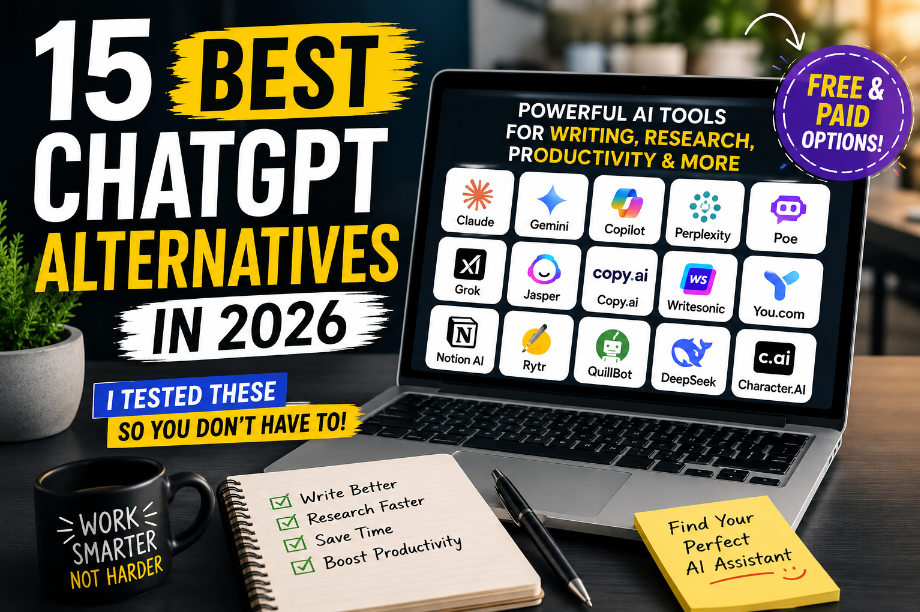
15 Best ChatGPT Alternatives in 2026 (Free & Paid Options
15 Best ChatGPT Alternatives in 2026 (I Tested These So You Don’t Have To)
Key Takeaways
- ChatGPT is great, but it isn’t the only useful AI tool.
- Some AI tools are better for writing, while others shine at research or productivity.
- The best ChatGPT alternative depends on your goals.
- Many powerful options offer free plans.
- Choosing the right tool can save you hours every week.
The Day I Realized ChatGPT Wasn’t Enough
A few months ago, I had one of those days.
You know the kind.
My inbox was full.
I had blog posts to write.
Pinterest pins to create.
A growing to-do list.
And somehow, even after working for hours, I felt like I wasn’t getting much done.
So I opened ChatGPT.
Like always.
It helped.
But something felt off.
I needed better research.
I wanted more ideas.
And honestly?
I was curious.
Was ChatGPT really the best AI tool out there?
Or was I missing something better?
That question sent me down a rabbit hole.
Over the next few weeks, I tested AI tool after AI tool.
Some were disappointing.
Some felt exactly the same as ChatGPT.
But a few surprised me.
A lot.
One helped me research faster.
Another made writing easier.
And one became part of my daily workflow almost immediately.
If you’ve ever wondered whether there’s something better than ChatGPT for your specific needs, you’re in the right place.
Let’s explore the tools that stood out.
Why More People Are Searching for the Best ChatGPT Alternatives
Let’s be honest.
Most people don’t wake up thinking:
“I need a ChatGPT alternative.”
They start looking when they run into a problem.
Maybe the answers don’t feel quite right.
Maybe they need better research.
Maybe they want something simpler.
Or maybe they just want to see what else is available.
That’s exactly what happened to me.
And it’s happening to thousands of people every day.
The truth is simple:
ChatGPT is amazing.
But no tool is perfect for every single task.
Think about your kitchen.
You probably have more than one knife.
Not because one knife is bad.
But because different tools work better for different jobs.
AI works the same way.
Common Reasons People Look for Alternatives
Better Research
Some AI tools can search the web and show sources.
That makes it easier to fact-check information.
Better Writing
Some tools create more natural, human-sounding content.
Especially for long blog posts.
Better Productivity
Others help manage notes, projects, and daily tasks.
Better Pricing
Many people simply want a free option.
And luckily, there are several.
Different Features
Every AI company is trying something unique.
That’s good news for users.
Because it means more choices.
What Makes a Great AI Assistant?
Before we jump into the list, let’s talk about something important.
Not every AI tool should be judged the same way.
The best tool for a blogger may be terrible for a student.
The best tool for research may not be great for writing.
So while testing these tools, I focused on five things.
Easy to Use
If a tool feels confusing after five minutes, most beginners won’t stick with it.
The best AI tools feel simple from day one.
Helpful Answers
A good AI assistant should save time.
Not create more work.
Strong Writing
Since many readers create content, writing quality matters.
A lot.
Useful Features
Things like web search, document uploads, and integrations can make a huge difference.
Value for Money
A tool doesn’t need to be expensive to be useful.
Some of the best options on this list are completely free.
15 Best ChatGPT Alternatives in 2026
Now for the fun part.
These are the tools that stood out the most during my testing.
Remember:
There isn’t one perfect AI tool.
The goal is to find the one that fits your life, your work, and your goals.
1. Claude — My Favorite for Long Blog Posts
The first time I used Claude, I noticed something immediately.
The writing felt natural.
Not robotic.
Not overly polished.
Just easy to read.
If you’re a blogger, Pinterest creator, or online business owner, you’ll probably love this.
Best For
- Bloggers
- Writers
- Content creators
- Long-form content
What I Like
✅ Natural writing style
✅ Great for long articles
✅ Easy to understand answers
✅ Handles large amounts of text
What Could Be Better
❌ Sometimes too cautious
❌ Not as strong for real-time information
Real-Life Example
When I asked ChatGPT and Claude to help outline a blog post, Claude’s version felt more like something a real person would write.
That surprised me.
Beginner Tip
If you write blog posts regularly, start here.
2. Google Gemini — Best for Google Users
If you already live inside Google Docs, Gmail, and Google Drive, Gemini feels very convenient.
It’s like having an AI assistant sitting inside Google’s ecosystem.
Best For
- Google users
- Students
- Everyday productivity
What I Like
✅ Works well with Google products
✅ Easy to access
✅ Strong image understanding
What Could Be Better
❌ Writing quality can be inconsistent
❌ Sometimes feels less creative
Real-Life Example
A friend who runs a small Etsy shop uses Gemini to draft emails and organize ideas inside Google Docs.
It saves her a surprising amount of time.
Beginner Tip
Already using Google every day?
Try Gemini first.
3. Microsoft Copilot — Best for Busy Professionals
Think of Copilot as ChatGPT’s cousin that loves Microsoft Office.
If your day involves Word, Excel, Outlook, or Teams, Copilot can be incredibly useful.
Best For
- Business owners
- Office workers
- Productivity lovers
What I Like
✅ Excellent productivity features
✅ Works with Microsoft tools
✅ Helpful for reports and summaries
What Could Be Better
❌ Some features require paid plans
❌ Less exciting for casual users
Real-Life Example
Imagine opening a long meeting transcript and asking AI to summarize everything in seconds.
That’s where Copilot shines.
Beginner Tip
If your job revolves around Microsoft Office, Copilot deserves a serious look.
4. Perplexity AI — The Research Tool That Blew Me Away
This was probably my biggest surprise.
Instead of simply giving answers, Perplexity shows where the information came from.
That sounds simple.
But it’s incredibly helpful.
Best For
- Research
- Fact-checking
- Students
- Bloggers
What I Like
✅ Shows sources
✅ Searches the web
✅ Fast answers
✅ Great for research
What Could Be Better
❌ Not the most creative writer
❌ Less conversational
Real-Life Example
When researching a blog post, I spent far less time opening dozens of browser tabs.
Perplexity did much of the heavy lifting.
Beginner Tip
If accuracy matters, try Perplexity before anything else.
5. Poe — The AI Tool for Curious People
Poe is different.
Instead of giving you one AI model, it gives you access to many.
It’s like walking into an ice cream shop and getting to sample different flavors.
Best For
- Beginners
- AI enthusiasts
- Testing different models
What I Like
✅ Access multiple AI models
✅ Simple interface
✅ Great learning tool
What Could Be Better
❌ Free plan has limits
❌ Can feel overwhelming at first
Real-Life Example
One day I compared the same question across several AI models inside Poe.
The answers were surprisingly different.
That helped me understand which model worked best for different tasks.
Beginner Tip
Not sure which AI assistant is right for you?
Start with Poe and experiment.
Quick Reality Check
At this point, you may be wondering:
“Which one should I choose?”
Here’s the short answer.
👉 Want better writing? Choose Claude.
👉 Need stronger research? Choose Perplexity.
👉 Love Google products? Choose Gemini.
👉 Use Microsoft Office every day? Choose Copilot.
👉 Want to test everything? Choose Poe.
But we’re not finished yet.
Some of the most interesting tools are still ahead.
And a few of them might surprise you even more.
দারুণ। এখন আমরা article-এর next section লিখব। আগের ৫টা tool-এর পরে বাকি AI tools-গুলো একই human-first style-এ রাখব।
Grok — Best for Real-Time Trends and Conversations
Best For: People who want fresh information and trending topics.
Why I Tried It
I first heard about Grok when people started talking about its ability to discuss current events and trending topics.
Since I often research content ideas, I was curious to see how it compared to other AI tools.
My Experience
Grok felt different right away.
Instead of giving generic answers, it often felt more connected to what was happening right now.
That made brainstorming content ideas much easier.
Beginner Tip
If you create content around trends, news, or social media topics, Grok is worth testing.
Final Verdict
⭐ 8.5/10
A solid option for people who want more up-to-date conversations.
Jasper AI — Best for Marketing Content
Best For: Marketers, business owners, and content teams.
Why I Tried It
Many marketers swear by Jasper.
So I wanted to find out if it was really worth the hype.
My Experience
Jasper felt less like a chatbot and more like a marketing assistant.
It was especially helpful when creating ad copy, product descriptions, and email campaigns.
Beginner Tip
If you’re running a business and creating lots of marketing content, Jasper can save a lot of time.
Final Verdict
⭐ 9/10
One of the strongest AI tools for marketing-focused users.
Copy.ai — Best for Sales and Marketing Ideas
Best For: Small business owners and entrepreneurs.
Why I Tried It
I kept seeing Copy.ai recommended for sales copy and marketing ideas.
Naturally, I wanted to see what made it different.
My Experience
The tool was fast and easy to use.
Whenever I felt stuck writing headlines or promotional content, it gave me a good starting point.
Beginner Tip
Don’t expect perfect content right away.
Use Copy.ai to generate ideas, then add your own voice.
Final Verdict
⭐ 8.5/10
Great for beating writer’s block.
Writesonic — Best for SEO Content
Best For: Bloggers and website owners.
Why I Tried It
As someone who enjoys blogging, I was curious about a tool built specifically for content creation.
My Experience
Writesonic was surprisingly useful for blog outlines, article ideas, and SEO-focused content.
It helped speed up the writing process without making content feel robotic.
Beginner Tip
Use it for brainstorming and outlining before writing your final draft.
Final Verdict
⭐ 8.5/10
A helpful companion for bloggers and content creators.
You.com — Best for AI Search
Best For: People who research information online.
Why I Tried It
I wanted to test whether AI-powered search could actually save time.
My Experience
Instead of opening ten browser tabs, You.com often helped me find answers faster.
That alone made it worth trying.
Beginner Tip
If you spend a lot of time researching topics online, give You.com a chance.
Final Verdict
⭐ 8/10
Simple, helpful, and surprisingly useful.
Notion AI — Best for Organizing Your Busy Life
Best For: Busy creators, bloggers, and small business owners.
Why I Tried It
There was a time when my ideas were everywhere.
Some were in Google Docs.
Some were in my notes app.
And a few were written on random pieces of paper.
I needed one place to organize everything.
That’s when I tried Notion AI.
My Experience
What I loved most wasn’t the AI.
It was how the AI worked inside my workspace.
Instead of jumping between different apps, I could brainstorm ideas, write content, and organize projects in one place.
Beginner Tip
If you’re constantly losing track of ideas, start using Notion AI.
It can help turn messy notes into organized plans.
Final Verdict
⭐ 9/10
Perfect for people who want less chaos and more organization.
Rytr — Best Budget-Friendly AI Writer
Best For: Beginners looking for an affordable AI writing tool.
Why I Tried It
Not everyone wants to pay for expensive AI subscriptions.
I wanted to find a tool that beginners could actually afford.
My Experience
Rytr surprised me.
It’s simple.
It’s fast.
And it doesn’t try to overwhelm you with features.
While it may not be as powerful as some premium tools, it’s a great starting point.
Beginner Tip
If you’re completely new to AI writing tools, Rytr can help you learn the basics without spending much money.
Final Verdict
⭐ 8/10
A solid choice for beginners on a budget.
QuillBot — Best for Rewriting and Improving Content
Best For: Students, bloggers, and anyone editing content.
Why I Tried It
Sometimes writing isn’t the hard part.
Editing is.
I wanted a tool that could help improve sentences without completely changing my message.
My Experience
QuillBot became one of my favorite editing tools.
Whenever a paragraph felt awkward, I could use it to explore different ways of saying the same thing.
Beginner Tip
Never copy every suggestion automatically.
Use QuillBot as a helper, not a replacement for your own voice.
Final Verdict
⭐ 8.5/10
One of the easiest tools for improving readability.
DeepSeek — The Free AI Tool That Shocked Me
Best For: Users looking for a free ChatGPT alternative.
Why I Tried It
Let’s be honest.
Whenever a new AI tool appears, most people assume it’s just another copy.
That’s exactly what I thought about DeepSeek.
My Experience
I was wrong.
The answers were surprisingly strong.
In some cases, they were better than I expected from a free tool.
That made DeepSeek one of the biggest surprises on this list.
Beginner Tip
If budget is your biggest concern, start here before paying for anything.
Final Verdict
⭐ 9/10
One of the best free AI tools available right now.
Character.AI — Best for Fun and Creative Conversations
Best For: Creative thinkers and casual users.
Why I Tried It
After testing productivity tools for weeks, I wanted something different.
Something fun.
That’s when I discovered Character.AI.
My Experience
Instead of feeling like a traditional chatbot, it felt more like interacting with unique personalities.
It wasn’t the best tool for serious work.
But it was incredibly entertaining.
Beginner Tip
Use Character.AI for creativity, roleplay, brainstorming, and entertainment.
Don’t rely on it for important business decisions.
Final Verdict
⭐ 8/10
Fun, creative, and completely different from most AI tools.
So Which Tool Did I End Up Using Most?
After testing all fifteen tools, a pattern started to appear.
Whenever I needed writing help, I reached for Claude.
When I needed research, I opened Perplexity.
For organization, Notion AI became my go-to option.
And when I wanted a free alternative, DeepSeek impressed me the most.
That’s the interesting thing about AI.
The “best” tool isn’t always the same for everyone.
The best tool is the one that solves your specific problem.
Best ChatGPT Alternatives Compared
After testing all 15 tools, I realized something important.
Most people don’t need the “best” AI tool.
They need the right AI tool.
Here’s a simple comparison to help you decide faster.
Tool
Best For
Pros
Cons
Claude
Blog Writing
Natural writing, great long content
Limited real-time information
Gemini
Google Users
Works with Google tools
Writing quality varies
Copilot
Productivity
Great for Microsoft users
Best features require paid plans
Perplexity
Research
Shows sources, web search
Less creative
Poe
Testing AI Models
Access to multiple models
Usage limits
Grok
Trending Topics
Real-time conversations
Not ideal for long content
Jasper AI
Marketing
Excellent marketing content
Expensive for beginners
Copy.ai
Sales Copy
Fast idea generation
Needs editing
Writesonic
SEO Content
Great for bloggers
Some features paid
You.com
AI Search
Quick research
Less creative
Notion AI
Organization
Helps manage projects
Learning curve
Rytr
Budget Users
Affordable
Fewer advanced features
QuillBot
Editing
Great for rewriting
Not a complete AI assistant
DeepSeek
Free AI
Strong free option
Fewer integrations
Character.AI
Fun Conversations
Creative interactions
Not built for business use
Which ChatGPT Alternative Should You Choose?
If you’re feeling overwhelmed right now, don’t worry.
I felt the same way.
Let’s make this simple.
Best for Bloggers
🏆 Claude
If your goal is writing articles, blog posts, email newsletters, or Pinterest content, Claude is hard to beat.
It consistently produced some of the most natural writing during my tests.
Best for Content Creators
🏆 Claude + Notion AI
This combination works surprisingly well.
Claude helps create content.
Notion AI helps organize it.
Best for Pinterest Creators
🏆 Claude
Pinterest users need:
- Blog posts
- Pin descriptions
- Titles
- Content ideas
Claude handled these tasks extremely well.
Best for Small Business Owners
🏆 Microsoft Copilot
If your day involves emails, spreadsheets, reports, and meetings, Copilot can save a lot of time.
Best for Research
🏆 Perplexity AI
This tool completely changed how I research content.
Instead of opening ten browser tabs, I could often find what I needed in minutes.
Best Free ChatGPT Alternative
🏆 DeepSeek
This was probably the biggest surprise on the list.
If you’re not ready to pay for AI tools yet, start here.
Best Overall ChatGPT Alternative
🏆 Claude
After testing everything, Claude was the tool I kept coming back to.
Not because it had the most features.
Not because it was perfect.
But because it consistently helped me get work done faster.
And that’s what matters most.
Real-Life Examples
Let’s look at a few real-world situations.
These examples might help you see which tool fits your own workflow.
Example #1: A Blogger Who Was Stuck Every Week
❌ Wrong Way
Sarah spent hours staring at a blank screen.
She knew she needed content.
But she didn’t know where to start.
✅ Right Way
She used Claude to brainstorm outlines and article ideas.
Instead of spending two hours planning, she finished in twenty minutes.
📌 Step-by-Step Process
- Enter blog topic
- Generate outlines
- Pick the best idea
- Expand sections
- Add personal stories
🎯 Lesson Learned
The hardest part of blogging is often getting started.
The right AI tool can help break that barrier.
Example #2: A Busy Business Owner
❌ Wrong Way
Mark manually summarized meetings and answered dozens of emails every day.
✅ Right Way
He started using Microsoft Copilot.
Routine tasks became much faster.
📌 Step-by-Step Process
- Upload meeting notes
- Generate summaries
- Draft email responses
- Review and send
🎯 Lesson Learned
AI doesn’t replace people.
It removes repetitive work.
Example #3: A Content Creator Managing Multiple Platforms
❌ Wrong Way
Emily kept switching between apps, documents, and notebooks.
✅ Right Way
She combined Notion AI with Claude.
One tool organized ideas.
The other created content.
📌 Step-by-Step Process
- Store ideas in Notion
- Create content using Claude
- Schedule posts
- Repeat weekly
🎯 Lesson Learned
Sometimes the best solution isn’t one AI tool.
It’s the right combination of tools.
Frequently Asked Questions
What is the best ChatGPT alternative in 2026?
Claude is one of the best ChatGPT alternatives for writing and content creation. However, the best choice depends on your needs.
Is there a free alternative to ChatGPT?
Yes. DeepSeek, Gemini, Perplexity AI, and Poe all offer free plans.
Which ChatGPT alternative is best for bloggers?
Claude is a great option for bloggers because it creates natural, easy-to-read content.
Which AI tool is best for research?
Perplexity AI is one of the strongest research tools because it shows sources and searches the web.
Is Claude better than ChatGPT?
For long-form writing, many users prefer Claude. For other tasks, ChatGPT may still be the better choice.
Which AI tool is best for small business owners?
Microsoft Copilot is a strong option because it helps with emails, documents, meetings, and productivity tasks.
Can AI tools help me save time?
Absolutely. AI can help with brainstorming, writing, research, organization, and repetitive tasks.
Which AI tool is easiest for beginners?
Claude, Gemini, and DeepSeek are all beginner-friendly options.
Do I need to pay for an AI tool?
Not necessarily. Many excellent AI tools offer free plans that are enough for most beginners.
Should I use more than one AI tool?
In many cases, yes. Different tools are good at different things. Using two or three tools together can often produce better results.
Internal Link Ideas
1. AI Tools to Save Time: 10 Tools That Give You Your Day Back
2. Best AI Productivity Tools for Busy Entrepreneurs
3. AI Tools for Content Creators: The Ultimate Beginner Guide
Conclusion
When I first started looking for ChatGPT alternatives, I expected to find a few tools that were almost identical.
Instead, I discovered something much more interesting.
Each tool had its own strengths.
Claude impressed me with its writing.
Perplexity made research easier.
Notion AI helped me stay organized.
And DeepSeek showed that free AI tools can still be incredibly powerful.
The good news is that you don’t need to test dozens of AI tools yourself.
Start with one.
See how it fits your workflow.
And remember, the best AI tool isn’t the one with the most features.
It’s the one that helps you save time and get more done.
You’ve got this!
And if you’ve tried any of these tools, I’d love to hear about your experience in the comments.
Featured Image Package
Featured Image Idea
A modern workspace with a laptop screen showing multiple AI tools, coffee cup, notebook, and productivity-themed elements.
Image Text Overlay
15 Best ChatGPT Alternatives in 2026
CTA Text
Find Your Perfect AI Assistant
Alt Text
Best ChatGPT alternatives comparison showing AI tools for writing, productivity, and research.
Pinterest SEO Package
Pinterest Title
15 Best ChatGPT Alternatives for Bloggers and Content Creators
Pinterest Description
Looking for the best ChatGPT alternatives? Discover 15 powerful AI tools for writing, research, productivity, blogging, and online business. Perfect for beginners!
Pinterest Keywords
- Best ChatGPT Alternatives
- AI Tools
- AI Productivity Tools
- Blogging Tools
- Content Creation Tools
- AI for Bloggers
- AI for Small Business
- AI Writing Tools
- Online Business Tools
- Productivity Tips
Pinterest Board Names
- AI Tools for Beginners
- Blogging Tips and Tools
- Productivity Hacks
- Online Business Growth
- Content Creator Resources
Content Upgrade Ideas
Checklist
The Ultimate AI Tool Selection Checklist
15 Best ChatGPT Alternatives Comparison Guide
Cheat Sheet
Which AI Tool Should You Use?
Template
AI Content Creation Workflow Template
CTA Package
Soft CTA
Try one of these AI tools this week and see how much time you can save.
Comment CTA
Which ChatGPT alternative are you most excited to try? Let me know in the comments.
Email Signup CTA
Want more AI tools, blogging tips, and productivity ideas? Join our newsletter and get new resources every week.
Trusted Sources
- OpenAI
- Anthropic
- Google AI
(Always check official websites for current features and pricing.)
Monetization Opportunities
Affiliate Products
- Claude
- Jasper AI
- Writesonic
- Copy.ai
- Notion AI
Related Tools
- Canva Pro
- Grammarly
- ConvertKit
- Beehiiv
Digital Product Ideas
- AI Prompt Bundle
- Blogging Workflow Template
- Pinterest Content Planner
- AI Productivity Toolkit
- Content Creator Starter Kit
✅✅✅✅✅✅✅✅✅
এখন তোমার কাছে publish-ready blog framework আছে। Publish করার আগে আমি শুধু একটা জিনিস recommend করব: প্রতিটি AI tool-এর নিচে official pricing, screenshots, এবং affiliate link যোগ করো। এতে article আরও useful হবে এবং monetization-এর সুযোগও বাড়বে।